How to Use TokenTax with Codex

 Expert verified
TokenTax content follows strict guidelines for editorial accuracy and integrity. We do not accept money from third party sites, so we can give you the most unbiased and accurate information possible.

Why trust our crypto tax experts
Last tested: November 2026 | Codex CLI 0.166.0, ChatGPT Plus, TokenTax test account
With the TokenTax MCP server, Codex can retrieve your crypto tax data and work with it directly in your terminal. We tested the connection by checking capital gains, comparing a Form 1099-DA with transactions, exporting CSV files, and changing a tax setting with permission.
This guide explains how to use TokenTax with Codex, including the setup commands, example prompts, and limitations we found. You'll need a paid TokenTax plan and a ChatGPT plan that includes the Codex CLI.
What you can do with TokenTax in Codex
Codex is OpenAI's coding agent. Unlike a standard chatbot, Codex CLI can work with local files, run commands, and produce output that you can use in other applications.
Connecting TokenTax through the Model Context Protocol (MCP) gives Codex access to tools that retrieve information from your TokenTax account. In our November 1, 2026 tests, Codex could:
Retrieve tax calculations. Codex returned short-term and long-term capital gains for 2026, matching the saved TokenTax figures.
Investigate individual transactions. It located a March 2025 ETH sale, identified the original purchase, and calculated an estimated cost basis.
Compare tax documents with transactions. Codex read a sample Form 1099-DA stored locally and identified sales that didn't match TokenTax's records.
Create CSV and JSON output. It exported 10 SOL transaction groups into a CSV file and formatted 2026 capital gains as JSON.
Find tax-loss harvesting opportunities. After we approved a switch to the Minimization method, Codex retrieved six SOL lots with unrealized losses.
Codex also attempted to chart monthly realized gains. It produced a CSV containing monthly figures but couldn't create the chart.
Our testing used Codex CLI 0.166.0 on macOS, with ChatGPT Plus and a TokenTax account containing synthetic transactions. No live customer financial data was used.
What you need before you connect TokenTax to Codex
Before starting, make sure you have:
A paid TokenTax plan for the current tax year. MCP access requires a paid TokenTax subscription. A current-year plan is required for full functionality.
Transaction data in TokenTax. Import your exchanges and wallets before connecting. Codex can't investigate transactions that aren't available in your account.
A ChatGPT plan with Codex CLI access. We tested ChatGPT Plus. OpenAI's Codex pricing page lists the CLI on Plus, Pro, Business, Edu, and Enterprise plans, with usage limits that vary by plan. Free and Go plans list Codex in the ChatGPT desktop app only.
Codex CLI installed. The instructions below use macOS Terminal. OpenAI also provides installation options for other supported operating systems.
A local working folder. Codex uses this directory to read documents and save files. You'll need access to a local copy of any 1099-DA or other document you want Codex to analyze.
You don't need a TokenTax API key. The connection uses OAuth, so you authorize access through TokenTax.
How to use TokenTax with Codex: connect from the terminal
We connected TokenTax using the Codex CLI rather than configuring the server in the ChatGPT desktop app. These steps reproduce the setup we tested.
For additional configuration options, see OpenAI's official Codex MCP documentation.
Step 1: Install Codex CLI
Open Terminal and check whether Codex is installed:
codex --version
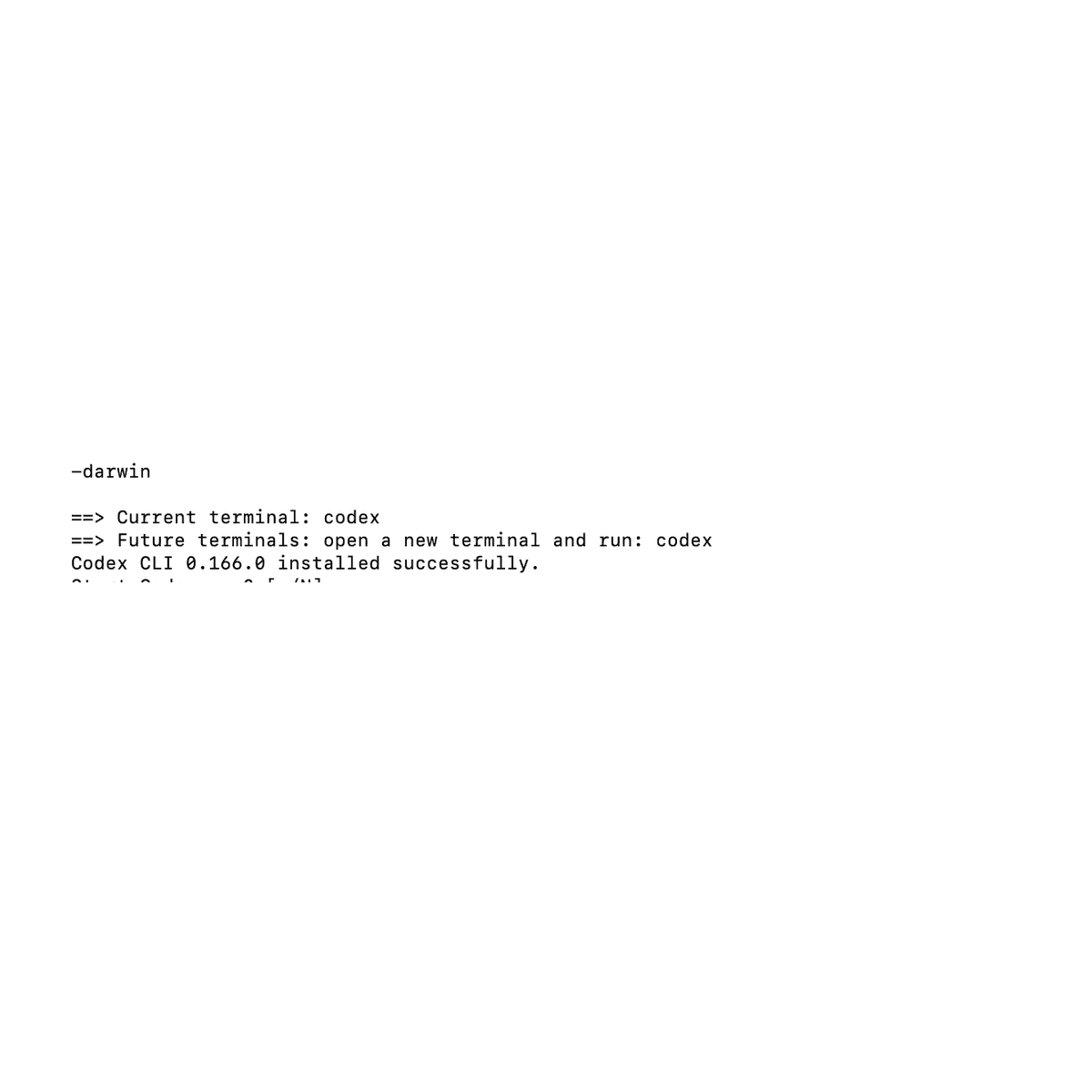
If Terminal reports command not found: codex, install the CLI using OpenAI's macOS and Linux installation command:
curl -fsSL https://chatgpt.com/codex/install.sh | sh
We encountered this error because the graphical application was available, but the codex command wasn't installed in regular Terminal.
After installing, run codex --version again.
Our installation returned:
codex-cli 0.166.0
Start Codex by entering:
codex
If this is your first session, follow the sign-in instructions and select Sign in with ChatGPT. Once you're signed in, exit Codex to return to the regular terminal prompt.
Step 2: Create a working directory
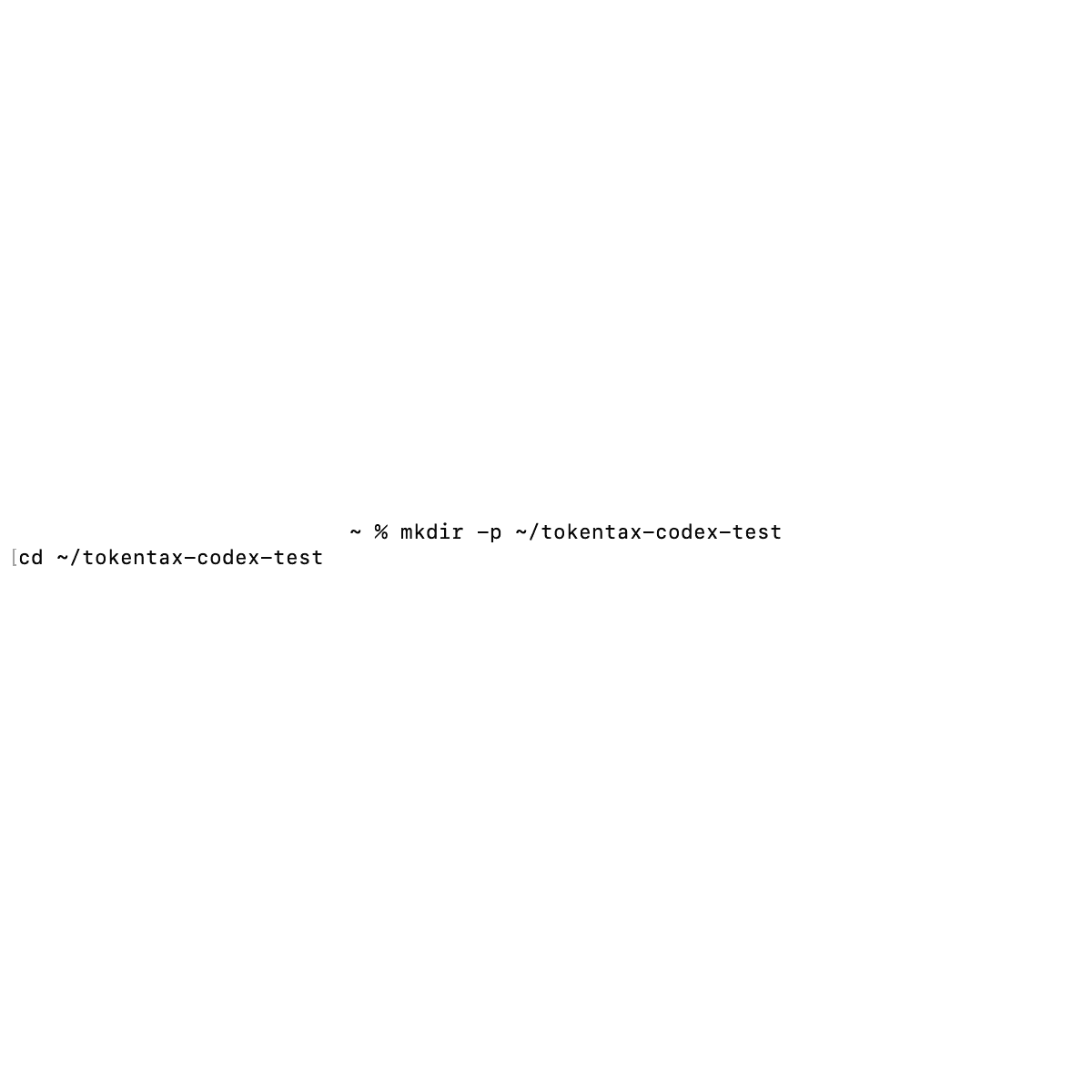
Codex works with files in the directory where you launch it. We created a separate folder for the TokenTax tests:
mkdir -p ~/tokentax-codex-test
cd ~/tokentax-codex-test
This kept our sample 1099-DA and exported CSV files together.
You can use a different directory, but keep track of its location. In our test, Codex saved exported files there.
Step 3: Add the TokenTax MCP server
At the regular terminal prompt, not inside Codex, run:
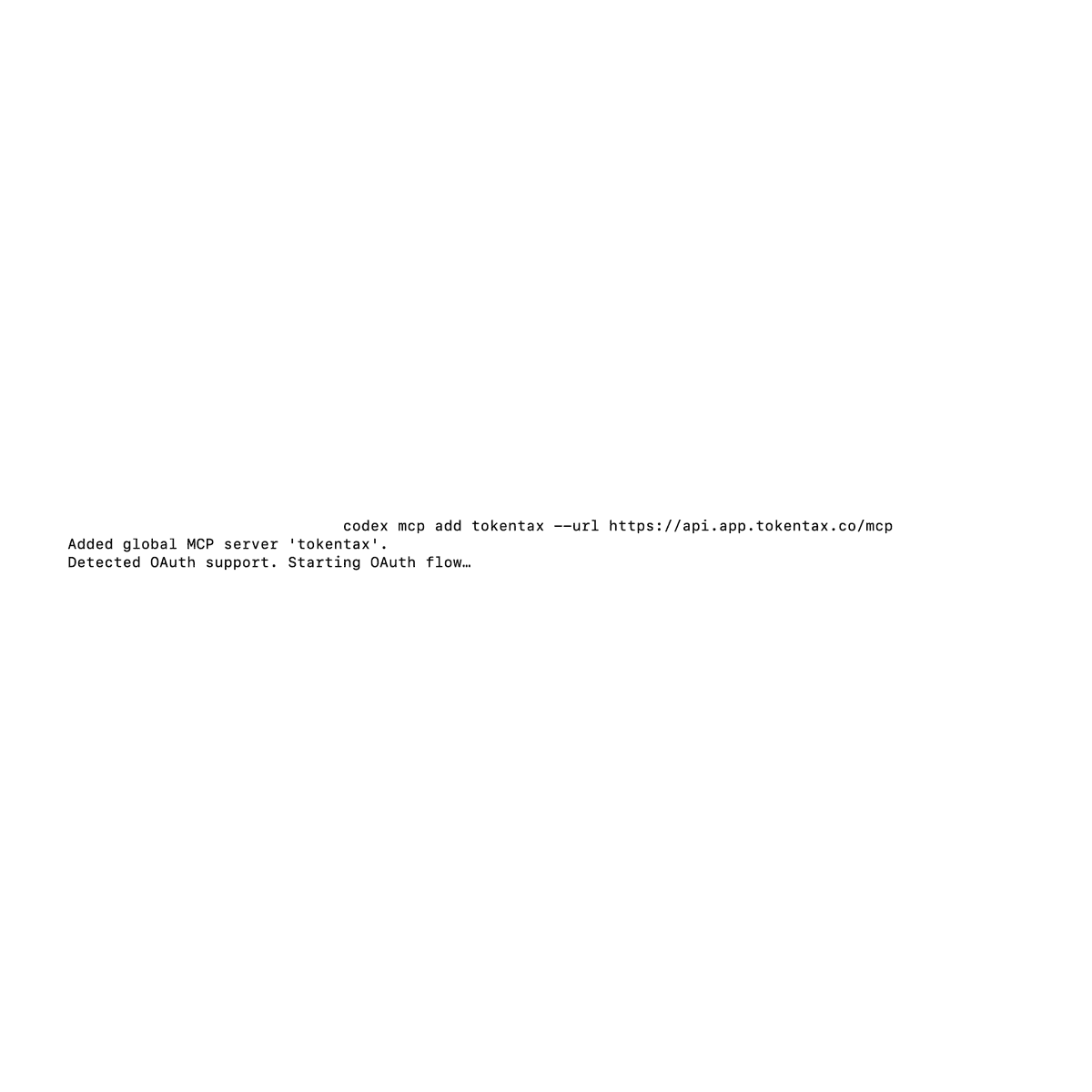
codex mcp add tokentax --url https://api.app.tokentax.co/mcp
During our test, Codex returned:
Added global MCP server 'tokentax'.
Detected OAuth support. Starting OAuth flow…
Codex automatically initiated OAuth authentication, so we didn't need to run a separate login command.
If your installation adds the server without starting authentication, run:
codex mcp login tokentax
Step 4: Authorize Codex in TokenTax
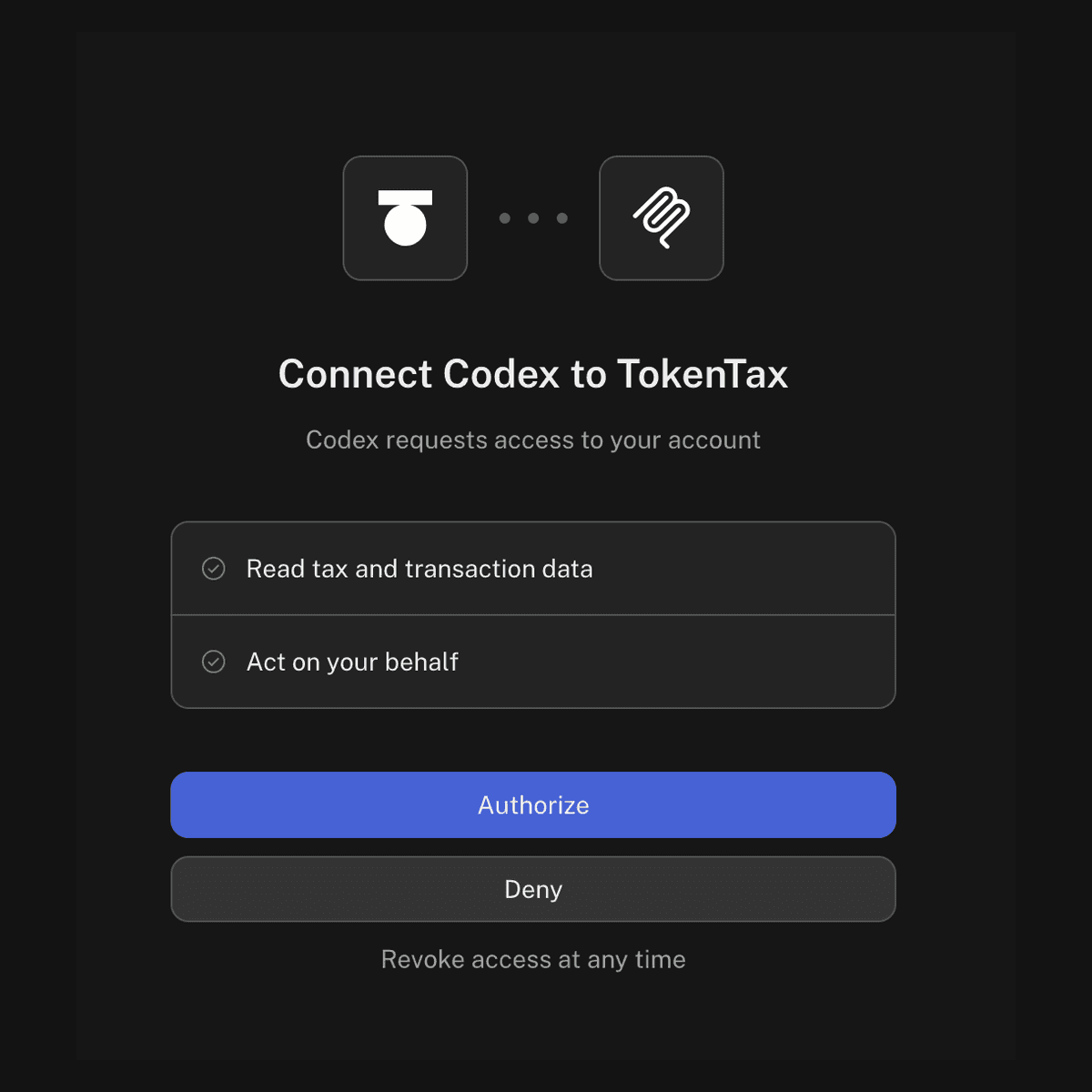
The OAuth flow opens TokenTax in your browser. Sign in if prompted.
Our authorization screen was titled Connect Codex to TokenTax and requested two permissions:
Read tax and transaction data
Act on your behalf
The second permission allows Codex to use supported tools that can modify TokenTax data or settings. The safety section below covers how Codex asks before using them.
Review the permissions and select Authorize.
After completing authorization, Terminal displayed:
Successfully logged in.
Step 5: Confirm TokenTax is connected
In regular Terminal, run:
codex mcp list
Our configuration showed TokenTax enabled with OAuth authentication:
Name Url Status Auth
tokentax https://api.app.tokentax.co/mcp enabled OAuth
Next, start Codex:
codex
Inside the interactive Codex interface, enter:
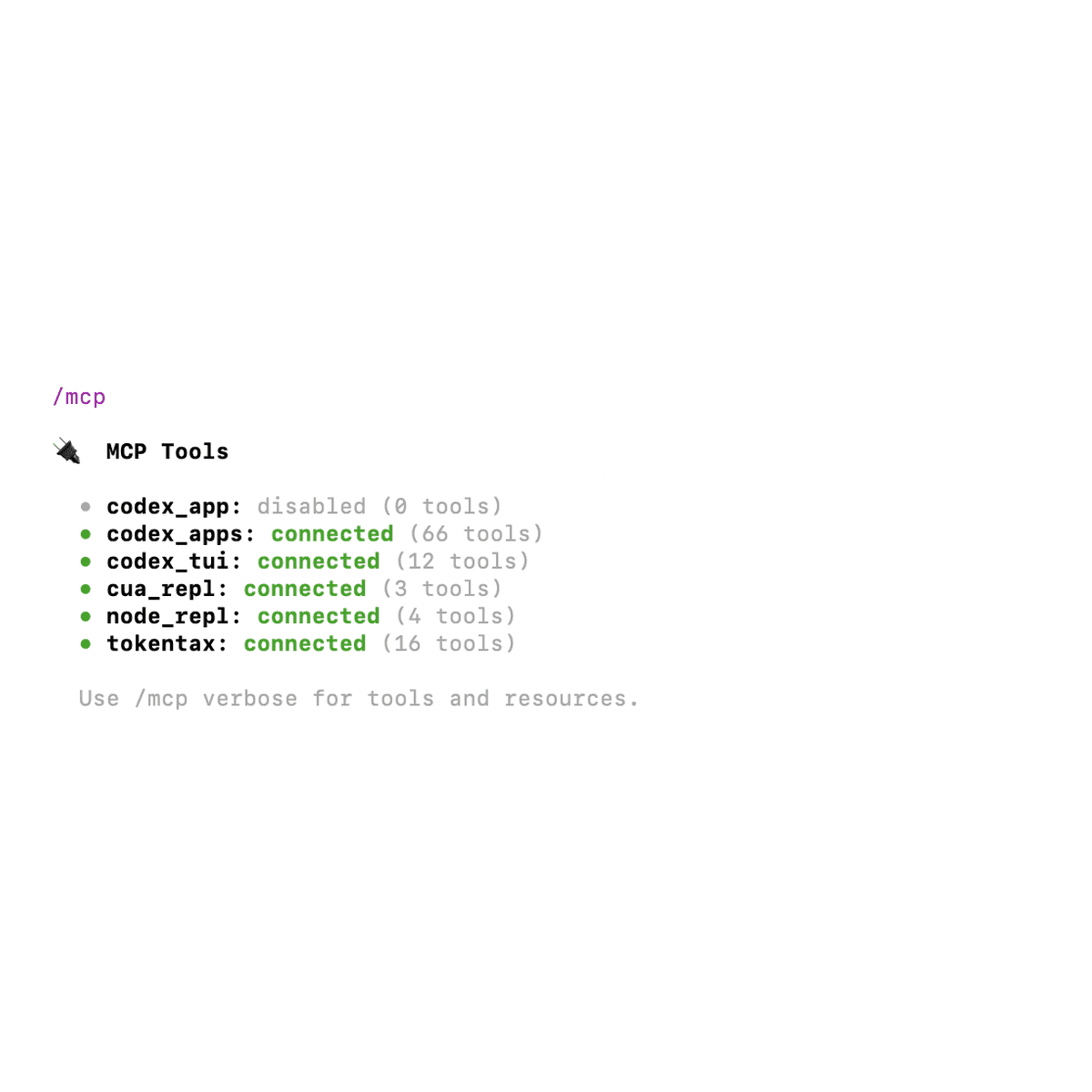
/mcp
Our connection appeared as:
tokentax: connected (16 tools)
To inspect the tool names, enter /mcp verbose. The inventory includes tools for retrieving tax information, finding missing cost basis, reading transactions, and managing supported account changes.
Step 6: Check the saved MCP configuration
Codex stores the server configuration in:
~/.codex/config.toml
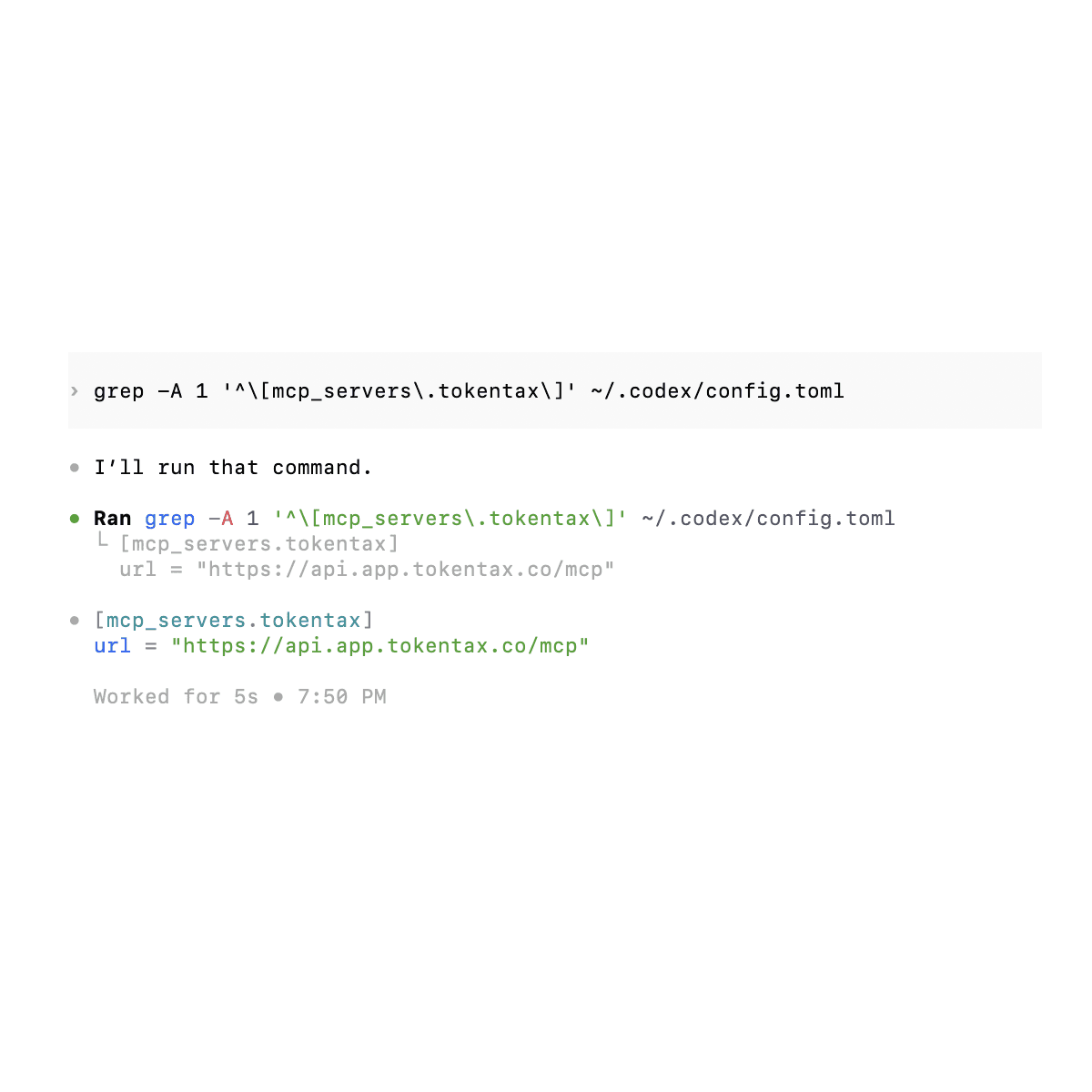
Our TokenTax entry contained:
[mcp_servers.tokentax]
url = "https://api.app.tokentax.co/mcp"
You can inspect just this entry from Terminal:
grep -A 1 '^\[mcp_servers\.tokentax\]' ~/.codex/config.toml
You don't need to edit this file for the standard connection.
Does the same connection work in other Codex clients?
OpenAI documents a shared MCP configuration for Codex CLI, the Codex IDE extension, and the ChatGPT desktop app.
We tested this by opening the ChatGPT desktop app after configuring TokenTax through Terminal.
Under Settings → Plugins → MCPs, TokenTax appeared in the server list with its toggle enabled. We hadn't added it separately in that interface.
Example prompts to try in Codex
We ran the following prompts against the same TokenTax test account. Each example shows what Codex retrieved, what it calculated on its own, and where it couldn't verify an answer.
Check your capital gains for a tax year
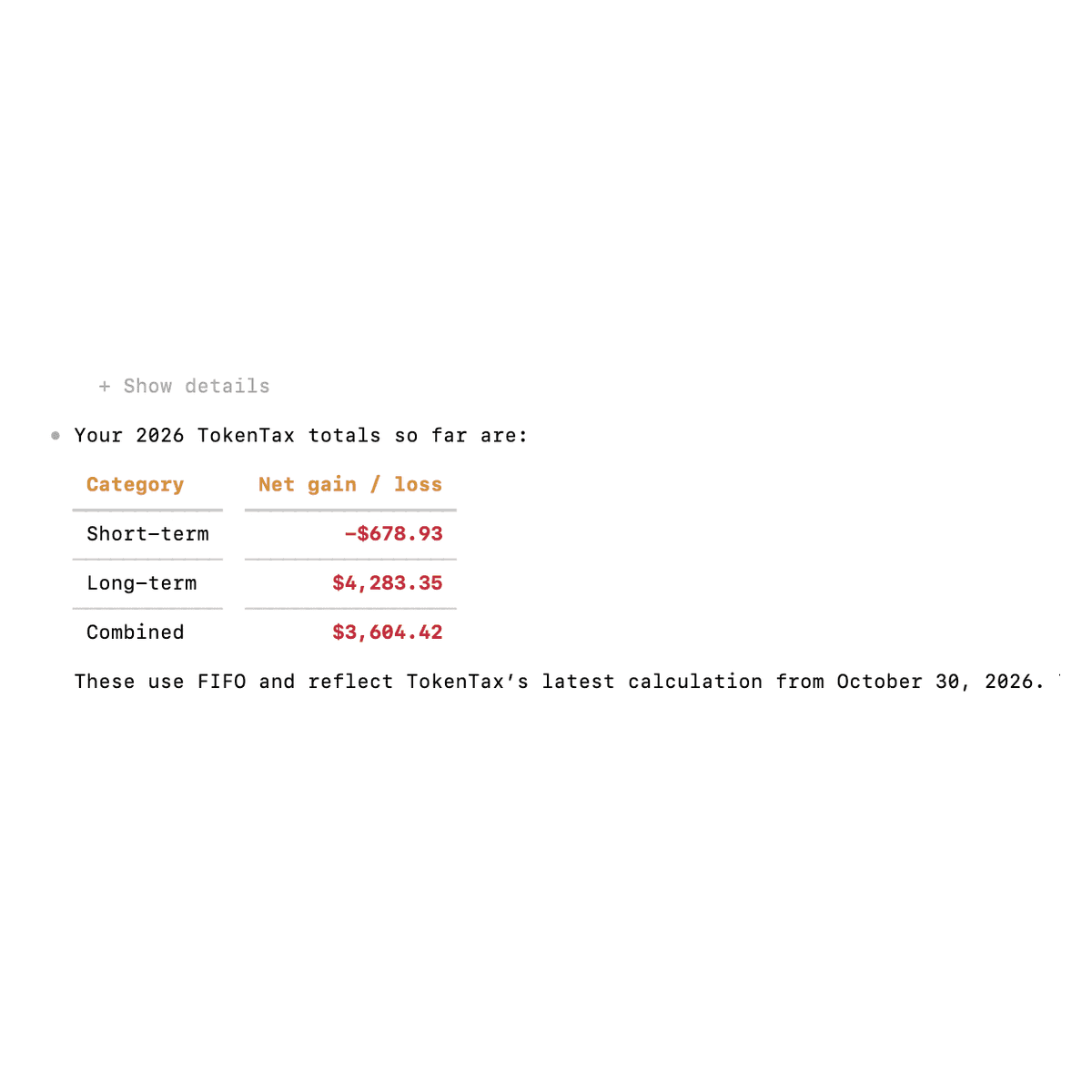
Prompt: What are my short-term and long-term capital gains so far in 2026 on TokenTax?
Codex called getTaxInfo and returned:
Category | Net gain or loss |
Short-term | -$678.93 |
Long-term | $4,283.35 |
Combined | $3,604.42 |
These figures matched the saved TokenTax calculation. Codex also confirmed that the account used FIFO and didn't need recalculation.
Codex didn't have to calculate anything for this prompt, because TokenTax returns the annual totals directly.
Find your largest taxable gain
Prompt: Which of my trades last year had the biggest taxable gain on TokenTax?
Codex identified a July 14, 2025 Coinbase sale of 0.4 BTC for $48,000.
It calculated an estimated taxable gain of about $9,241 under FIFO.
The TokenTax MCP server doesn't return a gain for each sale, so Codex rebuilt this one from the transaction history. In our Claude Code and Grok tests, the same sale came out at about $9,180. For individual disposals, compare the answer with TokenTax's actual capital gains report before relying on it.
Investigate the cost basis of a specific sale
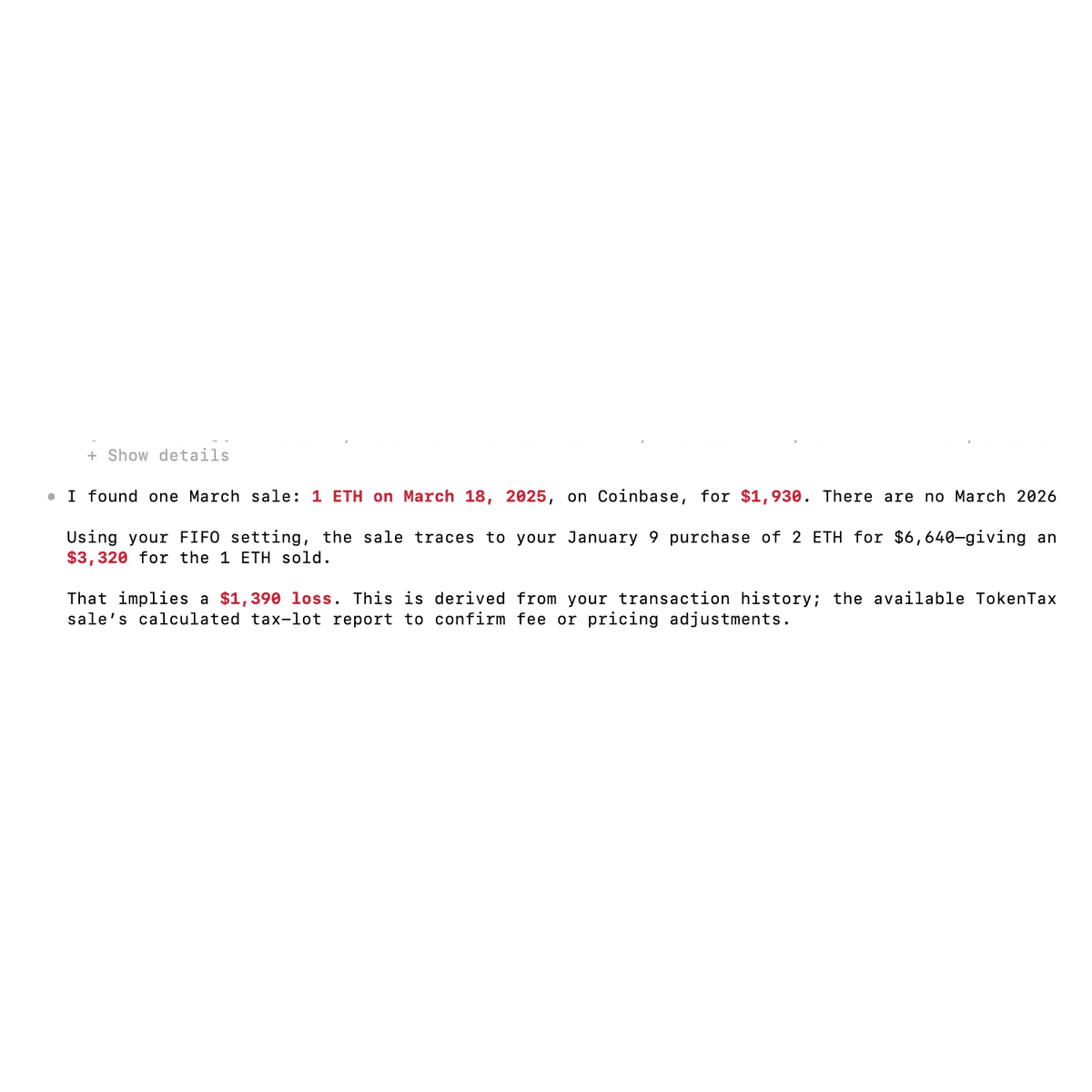
Prompt: Using TokenTax, what's my cost basis for the ETH I sold in March?
Codex found a March 18, 2025 sale of 1 ETH for $1,930. It traced the sale to a January 9 purchase of 2 ETH for $6,640.
Using the original purchase amount, it estimated a $3,320 cost basis and a $1,390 loss.
TokenTax's own calculation uses a different figure. It values CSV-imported trades at market price, so it priced the ETH from that purchase at $3,224.19 each instead of the $3,320 implied by the purchase amount.
The MCP connection didn't expose the sale's final tax-lot calculation, so Codex couldn't resolve the difference.
For an explanation of how acquisition costs and accounting methods affect gains, see our crypto cost basis guide.
Find holdings with unrealized losses
Prompt: Which of my holdings on TokenTax have unrealized losses I could harvest?
The first attempt didn't return any lots.
Codex called getTlhTaxLots, but TokenTax reported that tax-loss harvesting data required a Minimization calculation. Our account was using FIFO.
Rather than changing the setting immediately, Codex asked whether it should switch the 2026 tax year to Minimization and recalculate.
After we agreed, Codex displayed a separate approval prompt for updateTaxInfo. We approved the change and allowed the calculation to run.
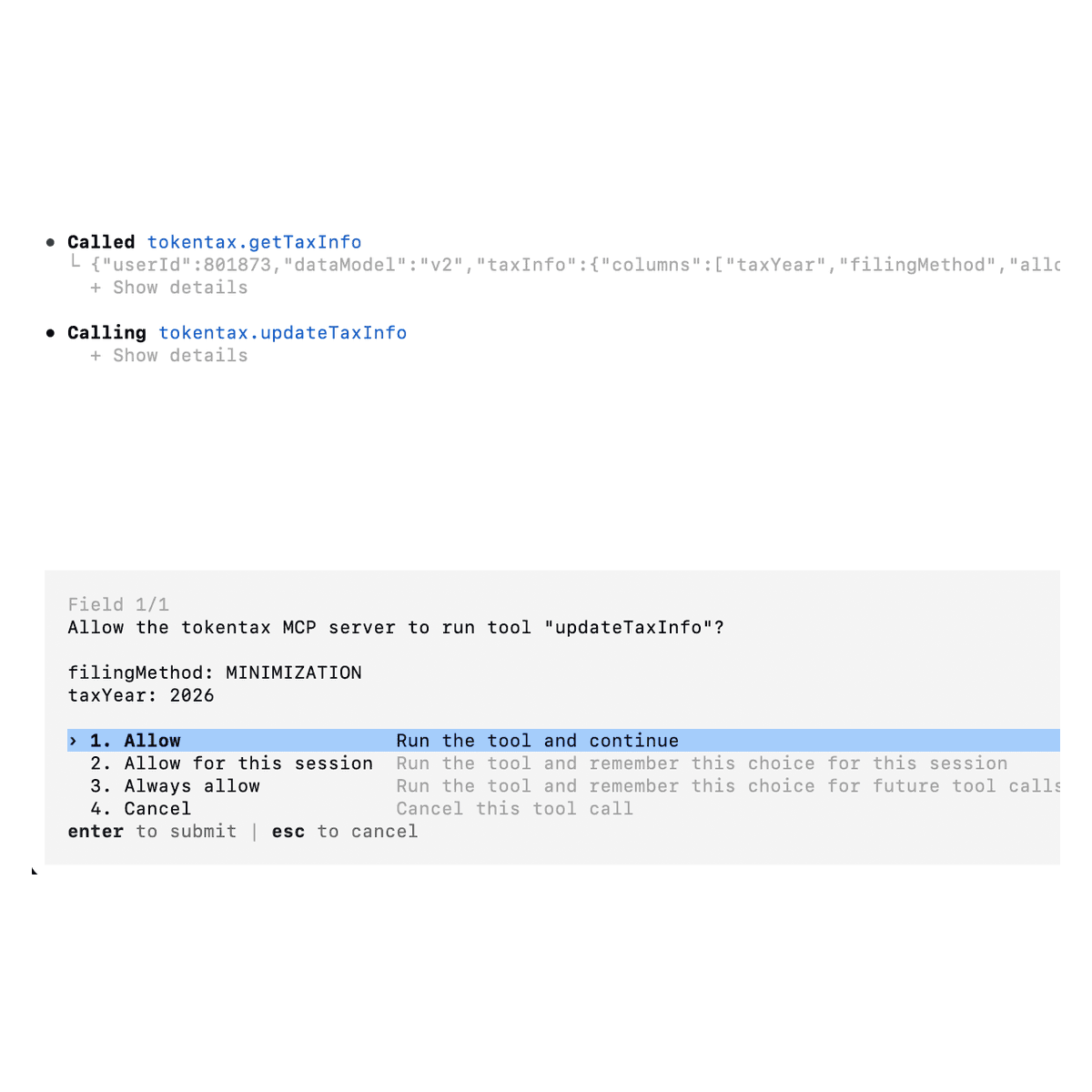
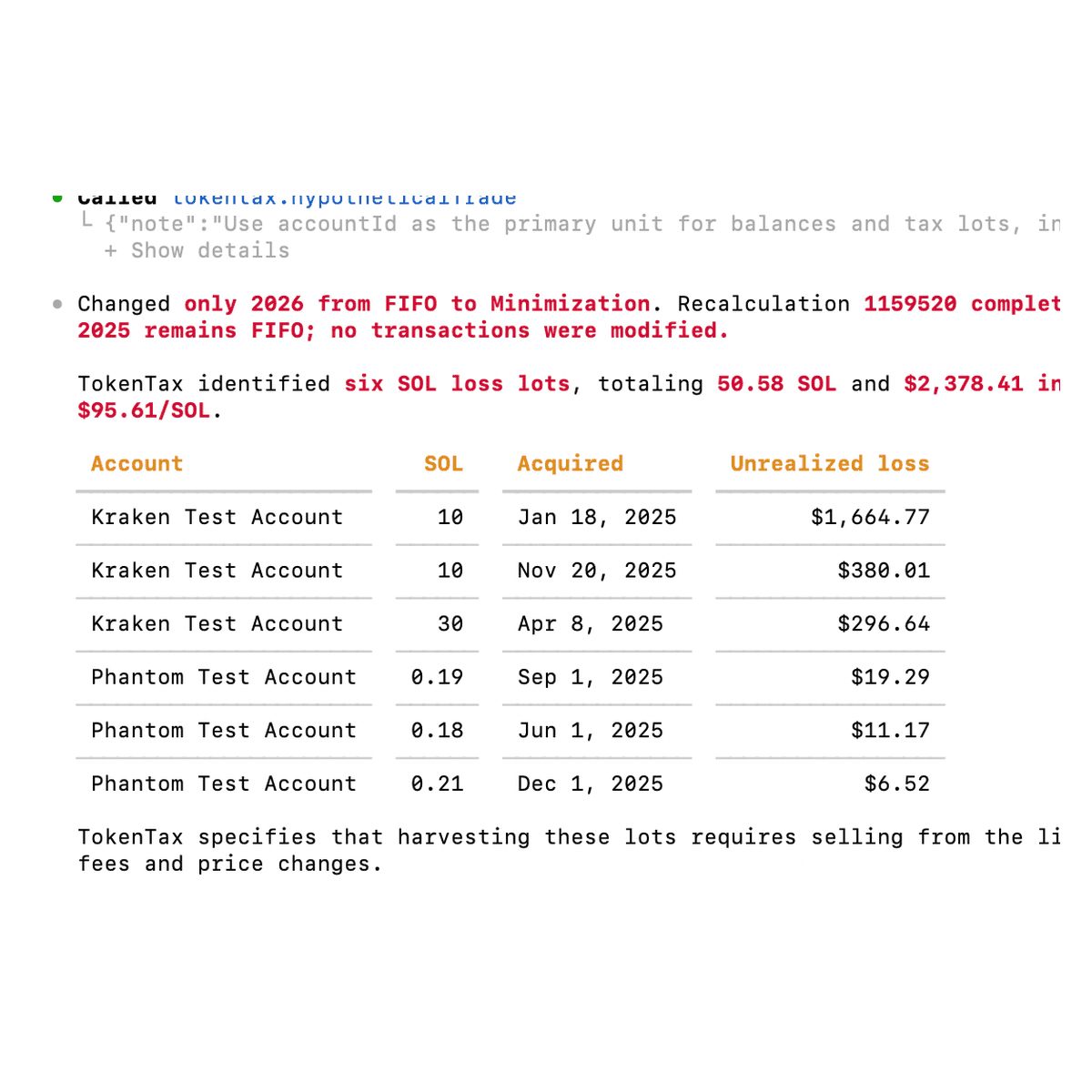
The resulting analysis identified six SOL lots across Kraken and Phantom accounts, totaling 50.58 SOL and $2,378.41 in unrealized losses.
We then restored 2026 to FIFO, recalculated, and confirmed that the original gains were unchanged.
Switching to Minimization changes the gains TokenTax calculates for that year. If you switch only to see harvesting lots, switch back to your usual method afterward and recalculate.
Compare a 1099-DA with TokenTax transactions
Prompt: Do my transactions on TokenTax match what's on my 1099-DA?
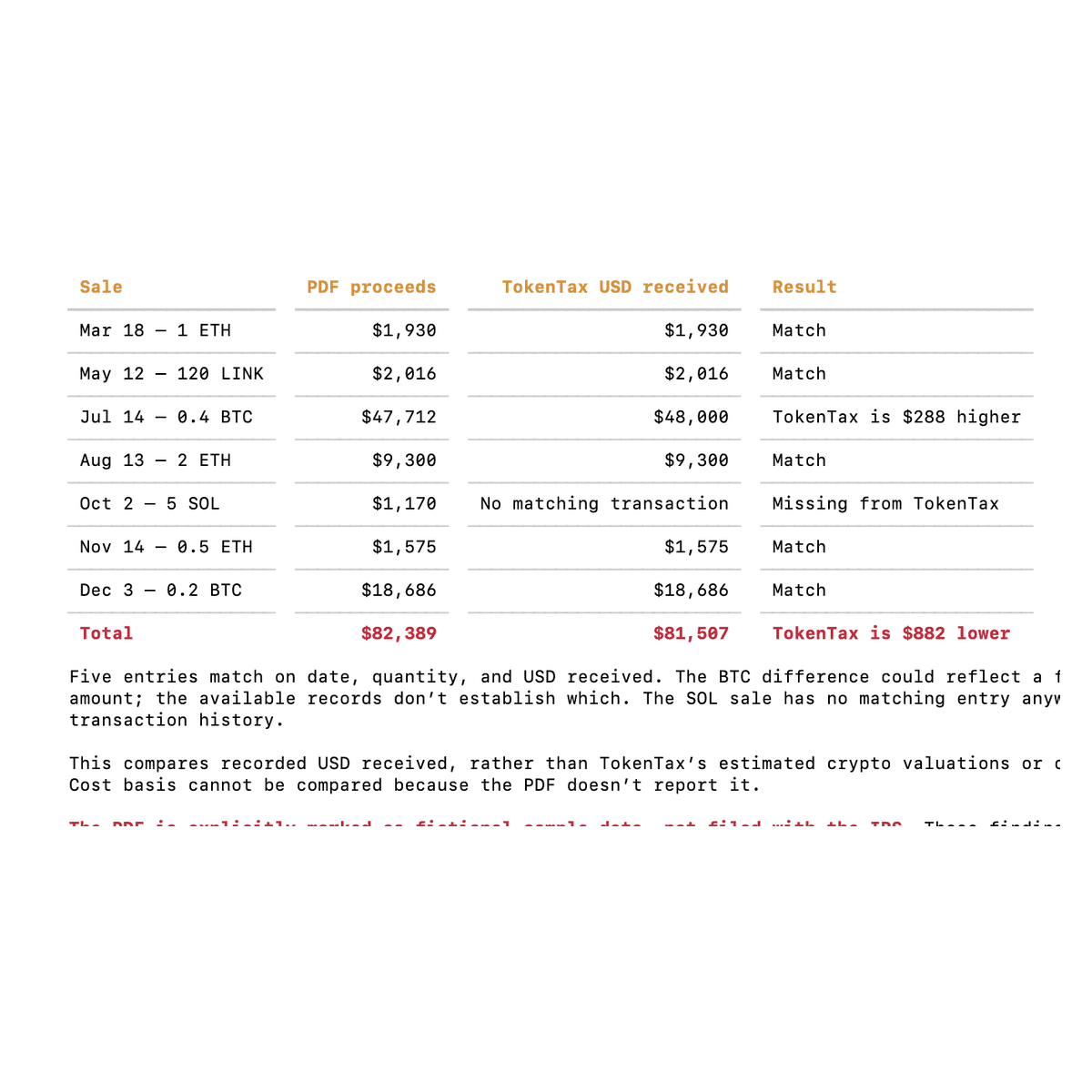
For this test, we placed a fictional sample 1099-DA PDF in our local working folder and added its file path to the prompt. The document contained seven Coinbase sales.
Codex compared those entries with TokenTax and found five matching records and two discrepancies.
Transaction | PDF proceeds | TokenTax record | Finding |
July 14, 2025: 0.4 BTC | $47,712 | $48,000 | $288 difference |
October 2, 2025: 5 SOL | $1,170 | No matching sale | Missing transaction |
The remaining five entries matched on date, quantity, and recorded USD received. This comparison used the recorded transaction amounts, not TokenTax's separately calculated tax-report proceeds.
The TokenTax MCP server can't return a 1099-DA you've uploaded to TokenTax, so Codex needs a local copy.
Check which 1099-DA entries are missing cost basis
Prompt: Using TokenTax, which of my 1099-DA entries are missing cost basis?
We supplied the same PDF again.
Codex read the PDF using Swift and Apple's PDFKit framework, then called TokenTax's getMissingCostBasis tool.
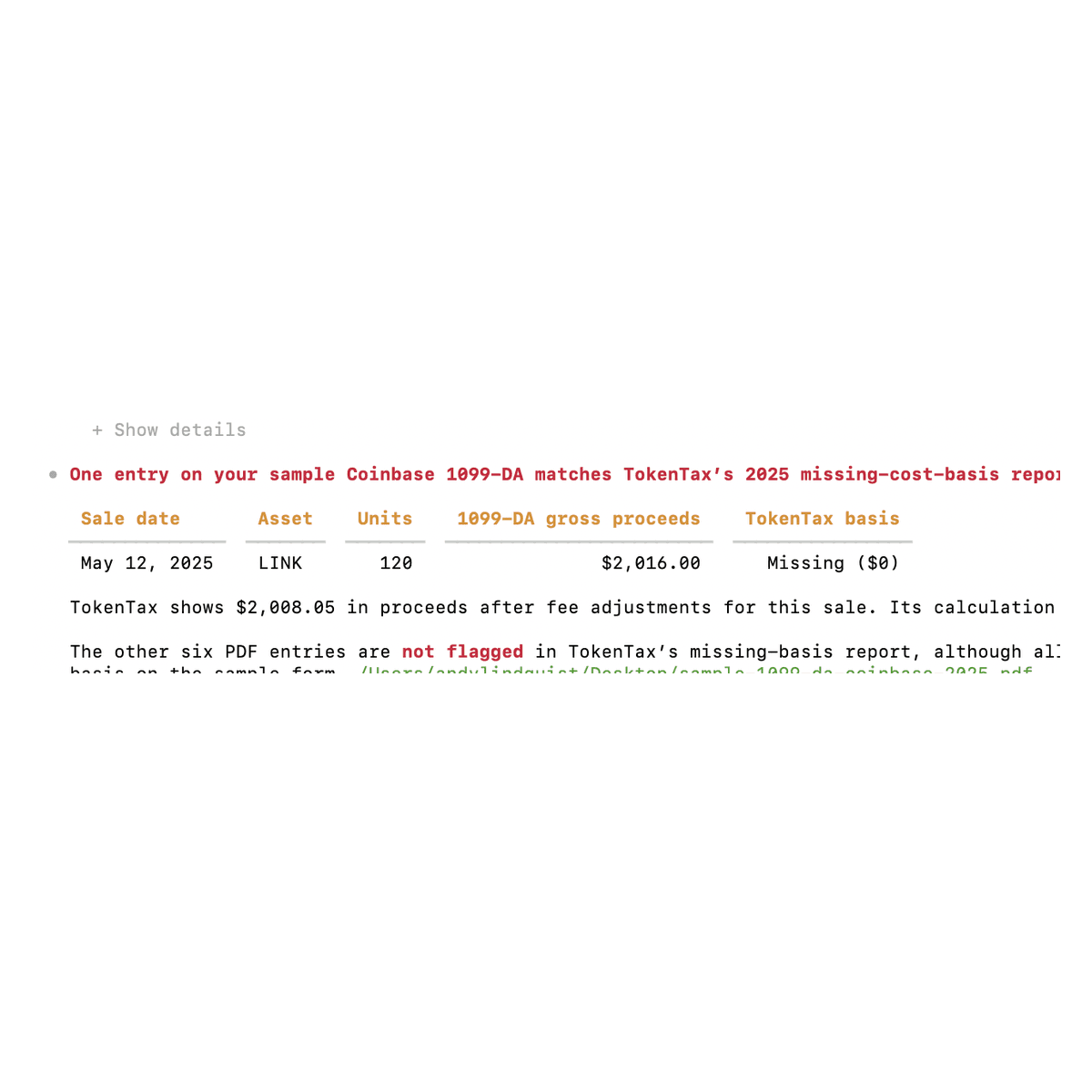
It found one matching sale flagged for missing basis: 120 LINK sold on May 12, 2025, with $2,016 in gross proceeds on the 1099-DA. Codex also found a January 6 Kraken sale of 1 ETH with missing basis and noted that it wasn't on the Coinbase form.
All seven entries on the sample 1099-DA had basis marked as not reported, but TokenTax flagged only the LINK sale as missing basis. A blank basis field on a 1099-DA doesn't mean TokenTax lacks the purchase records. Check your acquisition history before assigning a zero cost basis.
List transactions in a structured table
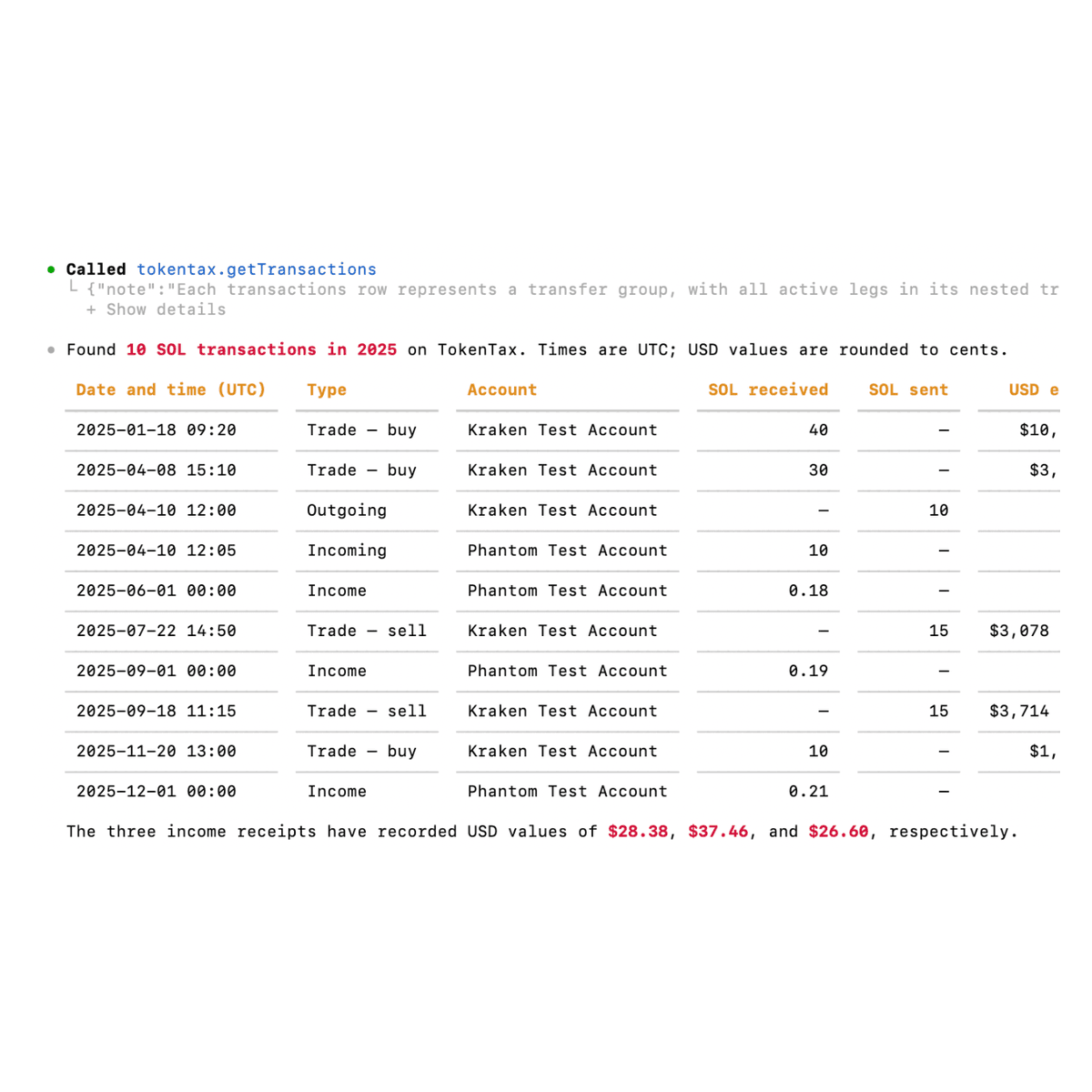
Prompt: Show every SOL transaction from 2025 on TokenTax in a table.
Codex retrieved 10 SOL transactions, including purchases, sales, income, and wallet movements.
The list included three SOL income receipts totaling 0.58 SOL, with recorded USD values totaling $92.44. It also found a 10 SOL withdrawal from Kraken on April 10, 2025, and a corresponding 10 SOL deposit to Phantom five minutes later.
Those records are separate in TokenTax, and Codex didn't link them as an internal transfer.
Try charting monthly realized gains
Prompt: Chart my realized gains by month for 2025 on TokenTax.
This test didn't produce a visual chart.
Codex retrieved the correct annual total of $14,819.44, then tried to open TokenTax's report in Google Chrome. Both browser attempts failed with a JavaScript execution timeout.
In a subsequent attempt, Codex created a monthly CSV file. Its figures summed to the annual total, and July showed $8,327.12 in gains. However, we couldn't independently verify the source of each monthly figure.
Codex reported that visualization was unavailable on the device.
The MCP server doesn't return a monthly realized-gains report, so Codex has to work out monthly figures on its own.
Export TokenTax transactions to CSV or JSON in Codex
Codex can save what it retrieves to a file in your working folder, so you can open TokenTax data in another tool without copying a long reply.
Export transactions to CSV
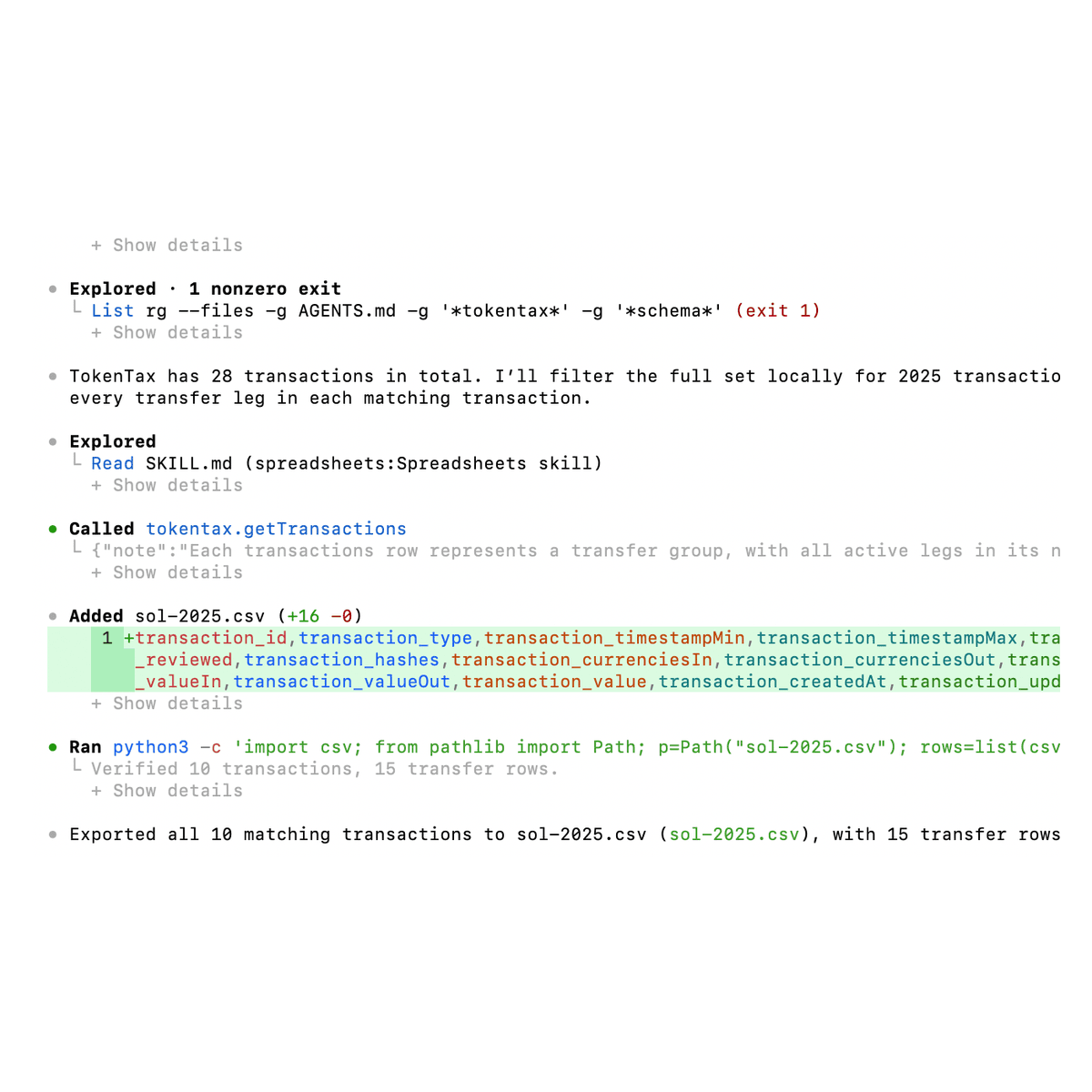
Prompt: Export every 2025 SOL transaction from TokenTax to sol-2025.csv.
Codex retrieved the transactions and wrote a file named sol-2025.csv in the working directory.
It then ran Python to validate the CSV.
The file contained 15 transfer-leg rows representing 10 transaction groups. Trades have an incoming and an outgoing leg, so the file has more rows than transactions.
The export preserved transaction IDs, timestamps, quantities, account names, prices, and recorded USD values.
No separate file-writing approval appeared during this test.
To open the file on macOS, run:
open sol-2025.csv
Return capital gains as JSON
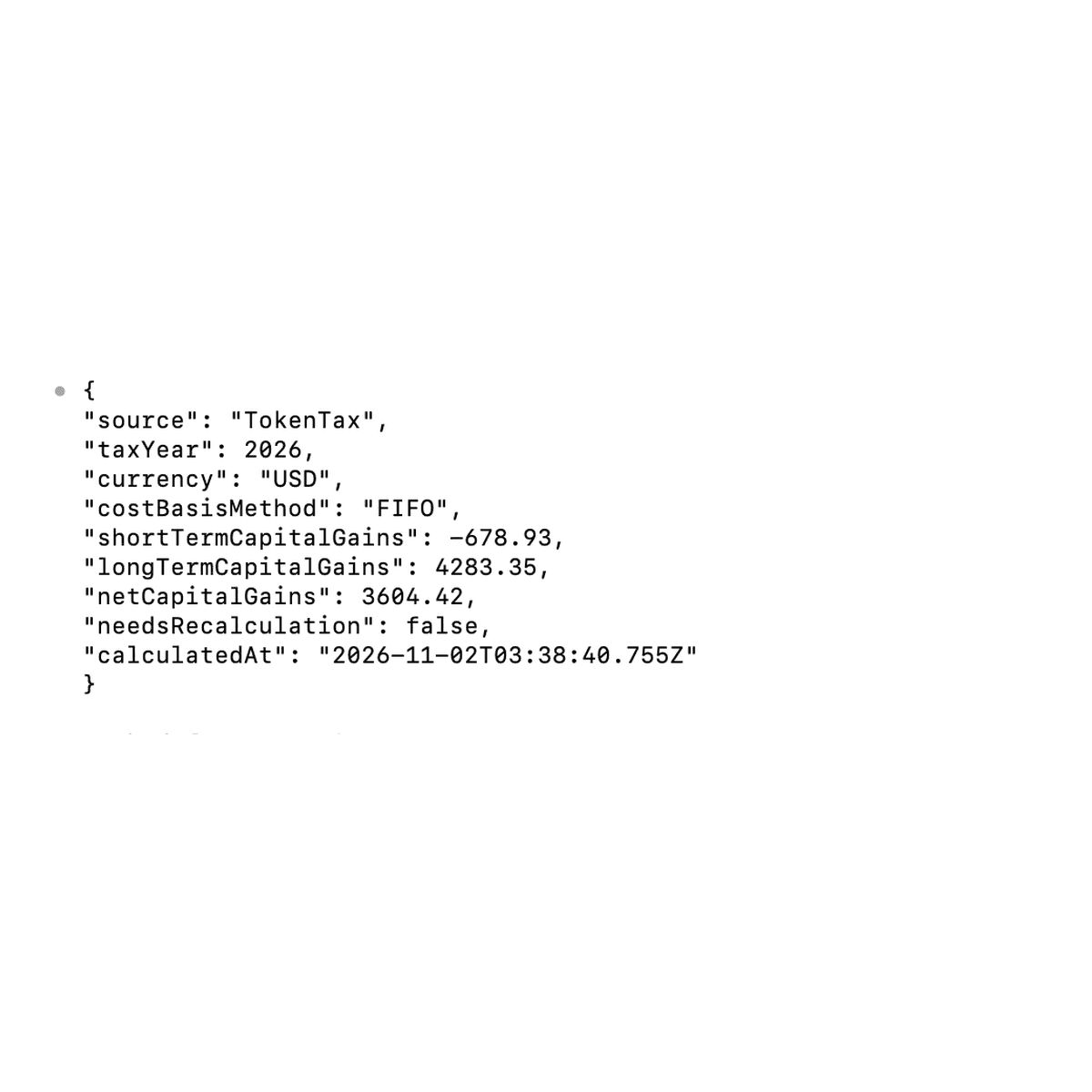
Prompt: Give me my 2026 capital gains from TokenTax as JSON.
Codex called getTaxInfo and produced valid JSON containing the tax year, accounting method, capital gains, and recalculation status.
The relevant fields were:
{
"source": "TokenTax",
"taxYear": 2026,
"currency": "USD",
"costBasisMethod": "FIFO",
"shortTermCapitalGains": -678.93,
"longTermCapitalGains": 4283.35,
"netCapitalGains": 3604.42,
"needsRecalculation": false
}
Every financial value matched the saved TokenTax calculation.
Codex built this JSON from the tool results. It isn't TokenTax's raw API response.
Is it safe to connect TokenTax to Codex?
TokenTax uses OAuth, so you authorize the connection through TokenTax rather than giving Codex your password. The authorization screen requests access to read tax and transaction data and to act on your behalf.
In our testing, the TokenTax MCP server exposed 16 tools. Eleven were read-only, and five could modify account data or settings:
createTransactionseditTransactionmergeTransactionsupdateTaxInfostartRecalculation
No transaction deletion tool was listed, and TokenTax doesn't allow changes to locked tax years.
TokenTax applies changes when an authorized write tool executes, without its own separate confirmation screen. Codex approval behavior depends on the tool and permission settings; our recalculation ran without an additional prompt.
How Codex handled write approvals in our tests
We tested this using Codex CLI 0.166.0 with Workspace (granular) permissions.
When we asked Codex to switch 2026 from FIFO to Minimization, it displayed a separate MCP approval screen:
Allow the tokentax MCP server to run tool "updateTaxInfo"?
filingMethod: MINIMIZATION
taxYear: 2026
The choices were Allow, Allow for this session, Always allow, and Cancel.
We selected Allow for that individual call. The accounting method changed successfully, and Codex initiated the required recalculation. The recalculation didn't produce a separate approval prompt in our test, even though startRecalculation is one of the five write tools.
We later restored FIFO, which triggered another approval request for updateTaxInfo. Finally, we asked Codex to switch 2026 to LIFO and selected Cancel at the tool approval screen.
Codex returned:
Error: user cancelled MCP tool call
A follow-up getTaxInfo call confirmed that the account remained on FIFO and the capital gains totals were unchanged.
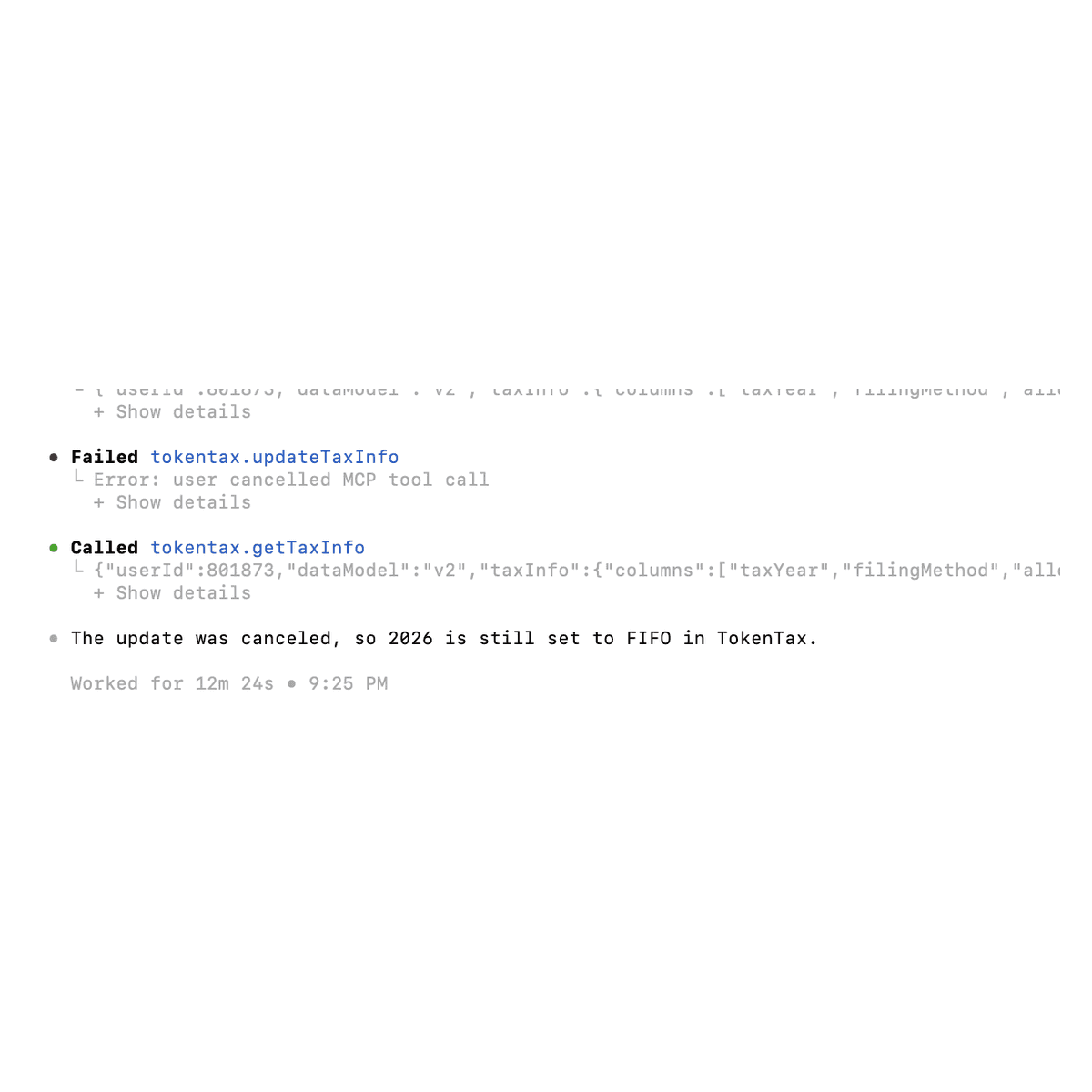
Canceling the updateTaxInfo approval blocked that change. We didn't test createTransactions, editTransaction, or mergeTransactions. For financial data, choose Allow for each call rather than Always allow, and check the tool name, tax year, and proposed values before you approve.
You should also review OpenAI's privacy policy and your account's data controls before connecting financial information.
How to disconnect TokenTax from Codex
To sign out of the MCP connection in Terminal, run:
codex mcp logout tokentax
Our test returned:
Removed OAuth credentials for 'tokentax'.
However, the Codex authorization still appeared under MCP Integrations in TokenTax profile settings after logout. That page has a Remove button for the Codex integration. We confirmed the button was there but didn't click it. Signing out in Codex and removing the integration in TokenTax are separate steps.
Troubleshooting TokenTax in Codex
Terminal says codex: command not found
We hit this error because the graphical application was available, but the CLI command wasn't available in regular Terminal.
Install the Codex CLI using the official installer shown earlier, then reopen Terminal if necessary.
Run codex --version to confirm the command is available.
getTransactions fails with an invalid filterQuery
We encountered this error several times:
Input validation error: Invalid arguments for tool getTransactions: filterQuery: Invalid input
In our tests, Codex recovered by making another getTransactions call with acceptable arguments.
The error didn't prevent it from completing the transaction investigations or CSV export. If the error repeats, ask Codex to retry the lookup without that filter.
Codex can't find the 1099-DA I uploaded to TokenTax
The TokenTax MCP tools don't return a 1099-DA you've uploaded to TokenTax. Place a copy of the PDF in your working directory and give Codex its file path. Codex read our sample PDF using Swift and Apple's PDFKit on macOS.
Codex won't create a chart
Our monthly gains chart failed because Chrome access timed out and the visualization function was unavailable.
Codex did create a CSV containing monthly values. Its figures summed to the correct annual total, but check the monthly amounts against TokenTax's capital gains report before you use them.
TokenTax Codex MCP server FAQs
Does the same MCP configuration work in the Codex IDE extension?
Can Codex save my TokenTax data to a file?
Does connecting TokenTax use more of my Codex usage limit?
Can Codex read a 1099-DA that I've already uploaded to TokenTax?
Does Codex ask before every TokenTax change?
Does logging out of Codex remove its TokenTax authorization?
If you're already a customer, set up TokenTax in your AI app. If you're new to TokenTax, start with a paid plan and import your transactions.
Results depend on the data imported into your TokenTax account. AI responses are not tax advice; review figures and proposed changes in TokenTax before filing.
To stay up to date on the latest, follow TokenTax on Twitter @tokentax.
Related Content
