How to Use TokenTax with Grok

 Expert verified
TokenTax content follows strict guidelines for editorial accuracy and integrity. We do not accept money from third party sites, so we can give you the most unbiased and accurate information possible.

Why trust our crypto tax experts
Last tested: October, 2026 | SuperGrok Plus on the web with a TokenTax test account
Here’s how to use TokenTax with Grok, xAI’s chat assistant, so you can ask about your crypto tax data in plain English. The TokenTax MCP server links Grok to the trades, gains, and reports in your account. You need a paid TokenTax plan. xAI’s documentation says connectors work for all Grok users. See other AI apps that work with TokenTax.
How we tested: We connected a TokenTax test account to Grok on grok.com in October, 2026. Every step and screenshot below comes from that session, and every Grok answer was checked against the TokenTax report for the same year.
What you can do with TokenTax in Grok
Once TokenTax is switched on, Grok calls TokenTax’s tools whenever a question needs your account data. In our test account, we used it to:
Pull short-term and long-term capital gains for a tax year and compare the totals with the TokenTax report.
Identify the single trade with the largest taxable gain and show other notable disposals in a table.
Calculate the cost basis for a specific coin sold on a given date, including the FIFO lot it drew from.
List holdings with unrealized losses for tax-loss harvesting (Grok can switch the accounting method and run a recalculation when needed).
Compare uploaded Form 1099-DA lines against TokenTax sales and flag mismatches.
Total staking and other income rewards by month and by coin.
Find sales with no cost basis and point to the account or wallet that needs to be imported to fix them.
TokenTax also lets a connected app edit transactions or change tax settings once you approve the change. In testing, Grok switched the filing method to Minimization and started a recalculation when the question required tax-loss-harvesting data.
What Grok won’t do through this connection: file a return, produce your Form 8949 or other tax forms (those come from TokenTax reports), or tell you whether to sell.
What you need before you connect Grok to TokenTax
A paid TokenTax plan.
Your accounts in TokenTax. Import your exchanges and wallets and run a recalculation so Grok has full data.
A Grok account signed in on grok.com. xAI’s docs say connectors are available to all Grok users. On Grok Business or Enterprise, an admin must first add the custom connector in console.x.ai.
Grok on the web. (Connectors can also be managed on iOS and Android under Settings → Connectors.)
How to use TokenTax with Grok: add the custom connector
In Grok, an outside MCP server is added as a Custom connector. You’ll paste this server URL (or copy the server URL from our setup page):
https://api.app.tokentax.co/mcp
Sign in and visit grok.com/connectors.
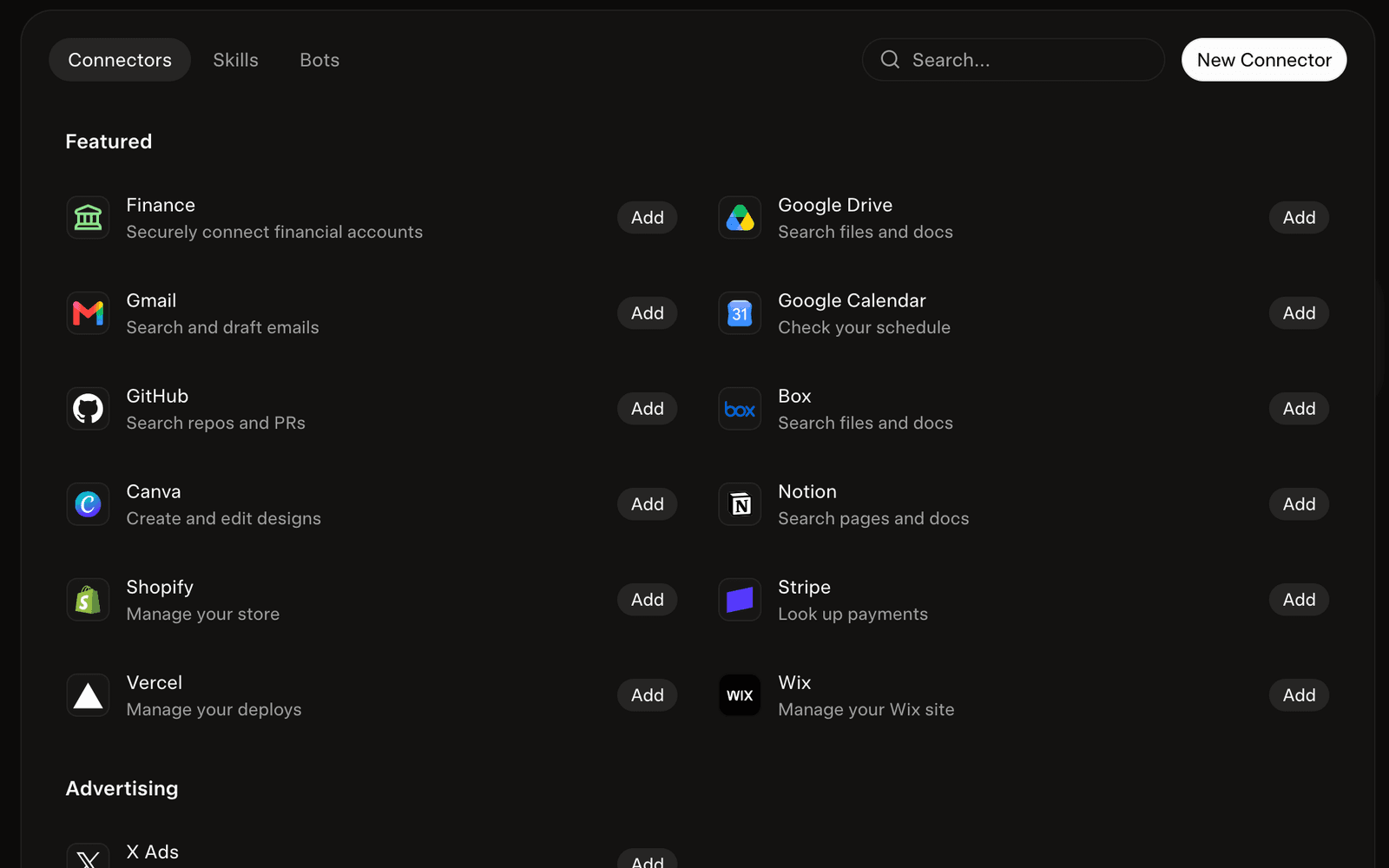
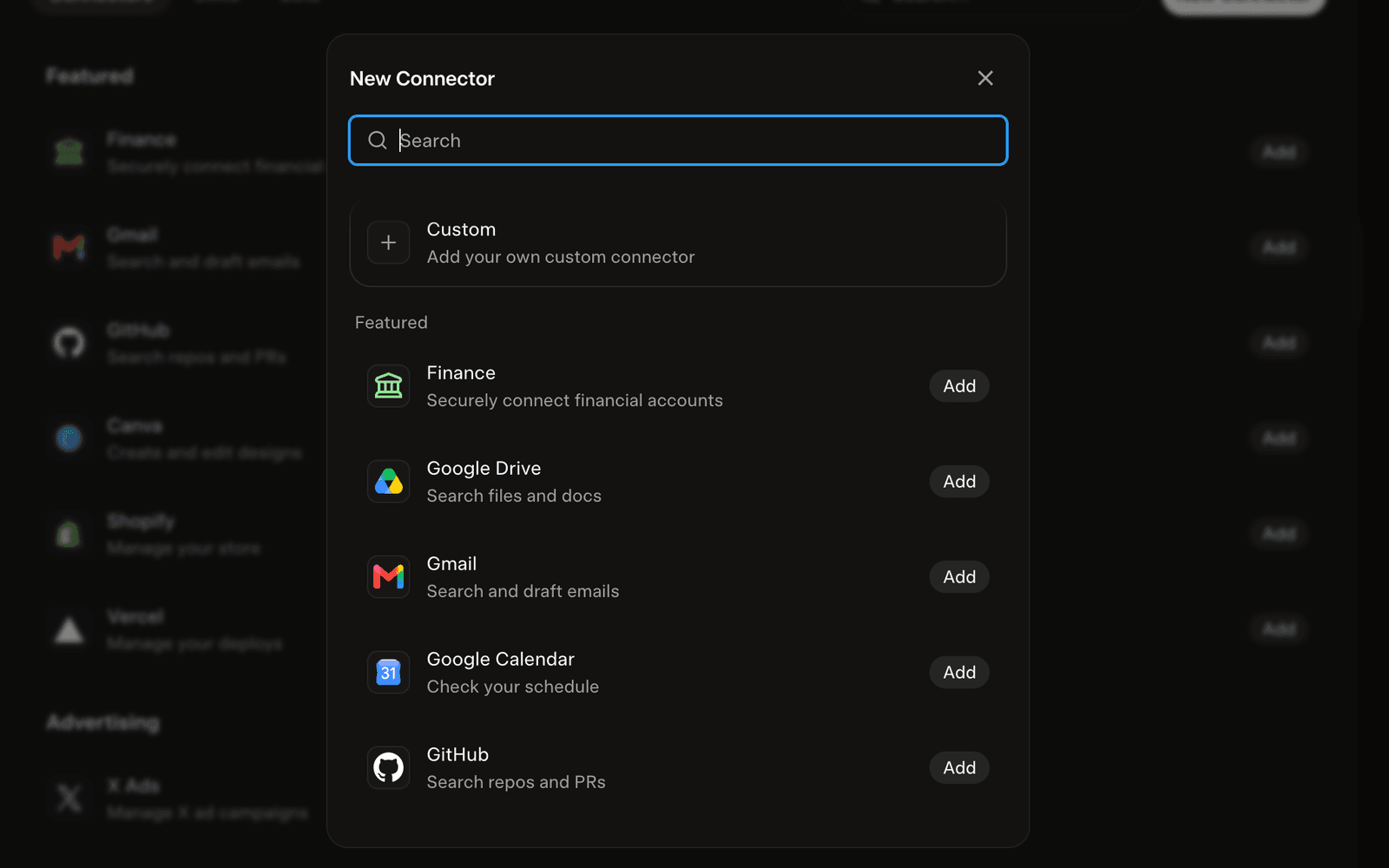
Click New Connector, then choose Custom.
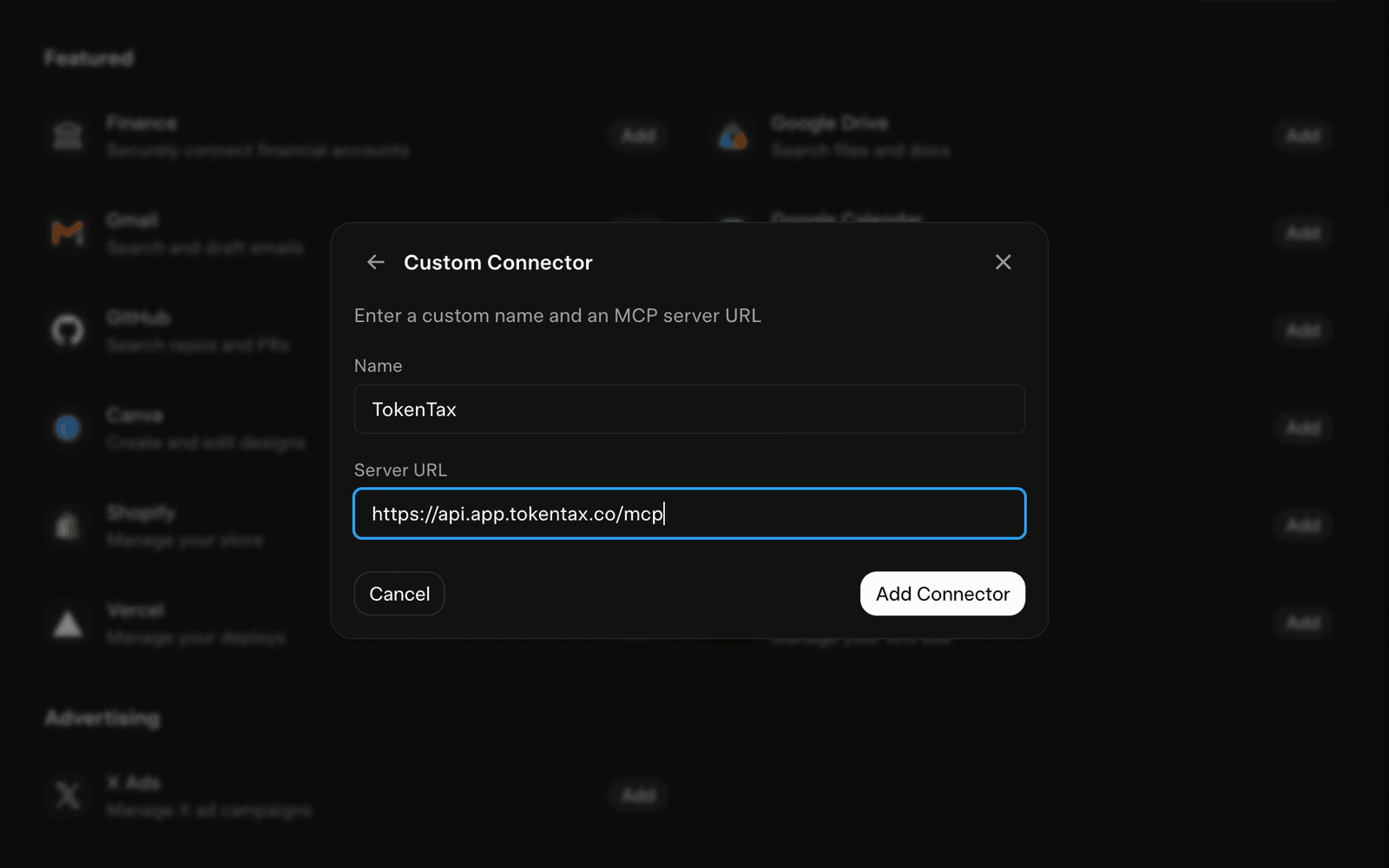
Enter the details. In the Name field, type TokenTax. In the Server URL field, paste https://api.app.tokentax.co/mcp.
Click Add Connector.
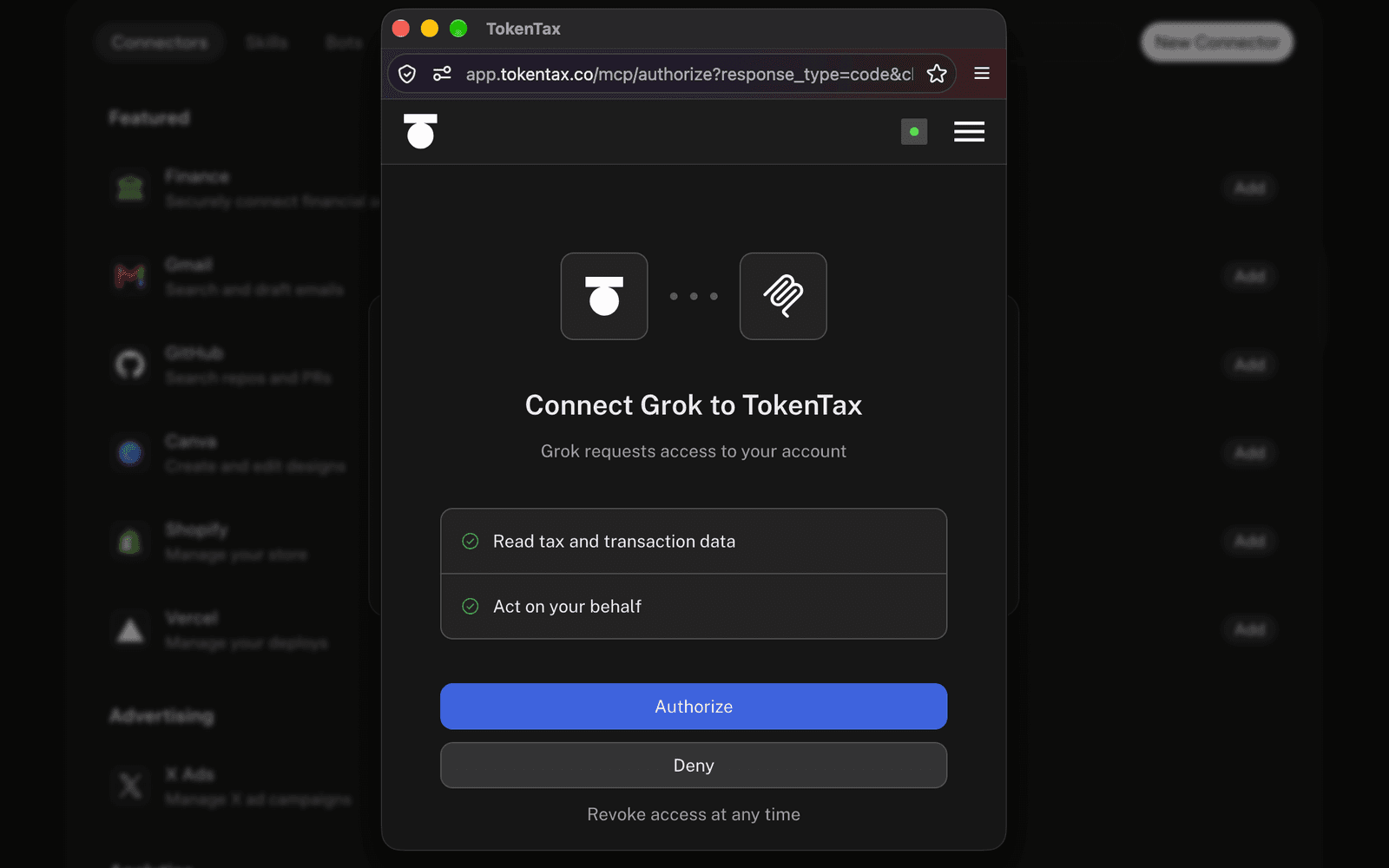
Sign in to TokenTax. Grok opens TokenTax’s login page. Sign in, then review the permissions. TokenTax shows “Read tax and transaction data” and “Act on your behalf.” Click Authorize.
Confirm Grok found the tools. Back on the connectors page, TokenTax appears under Connected. Opening it shows “All tools enabled,” the full tool list, and Reauthenticate / Disconnect buttons. The server URL is displayed.
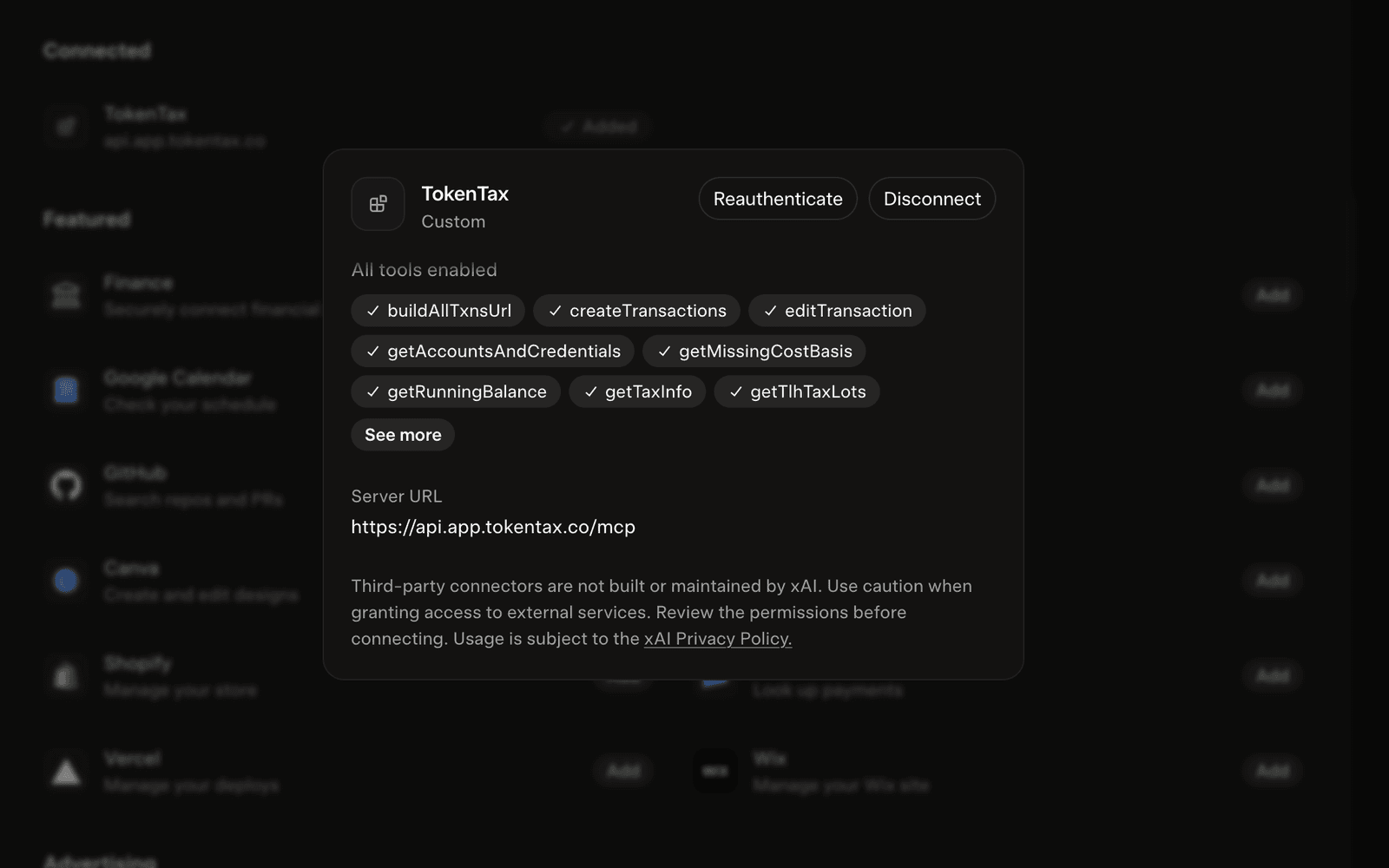
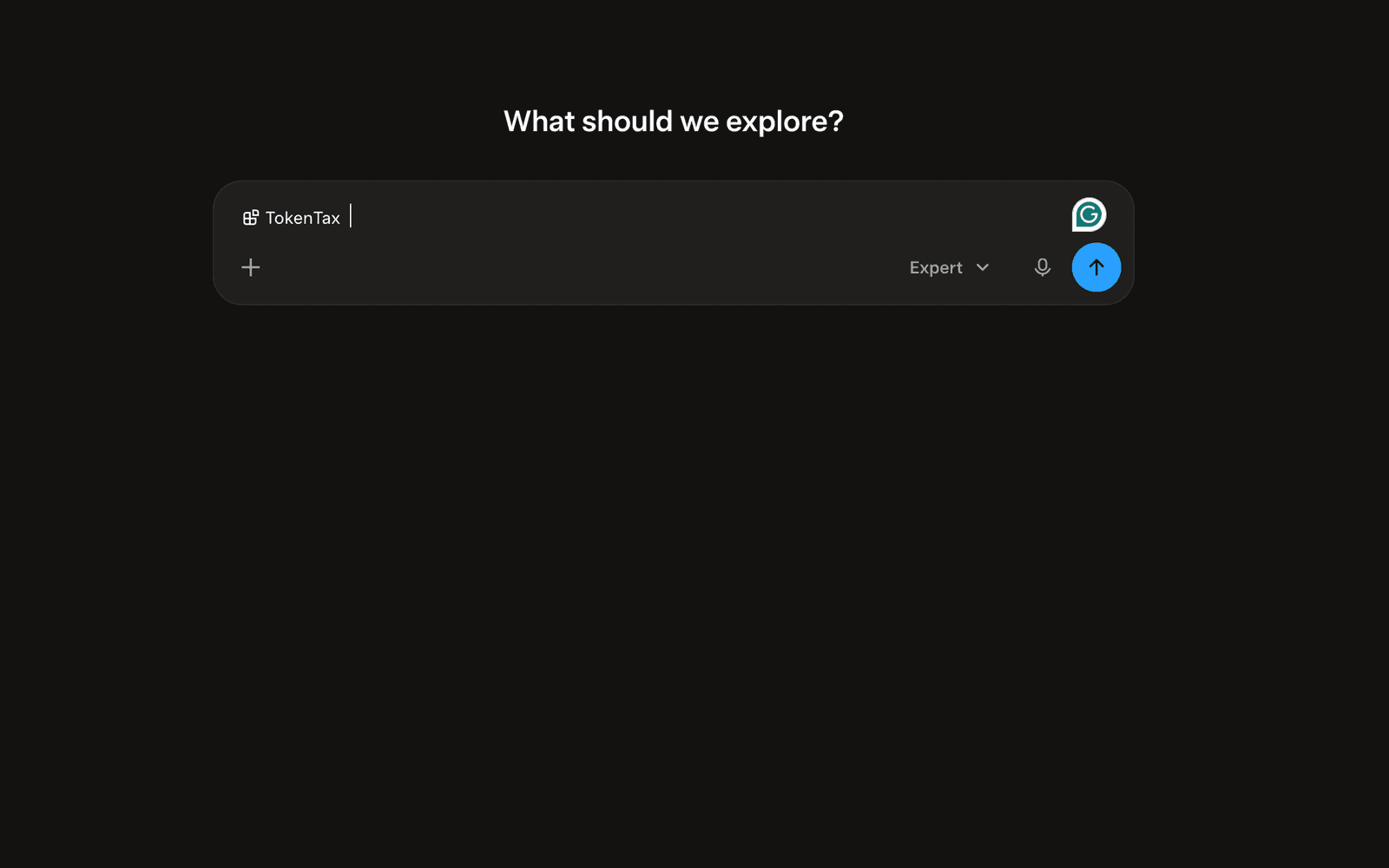
Use it in a chat. Start a new conversation. You can select TokenTax in the input (it appears when you type @ or open the connector picker). Grok then uses TokenTax’s tools when your question needs account data. TokenTax works the same way on Grok’s iOS and Android apps. A connector you add on the web appears under Settings → Connectors on mobile, and Grok can use it in chats there.
Example prompts to try in Grok
We ran these in October 2026 against a TokenTax test account. Each went into a fresh chat, and we checked the answer against TokenTax’s reports.
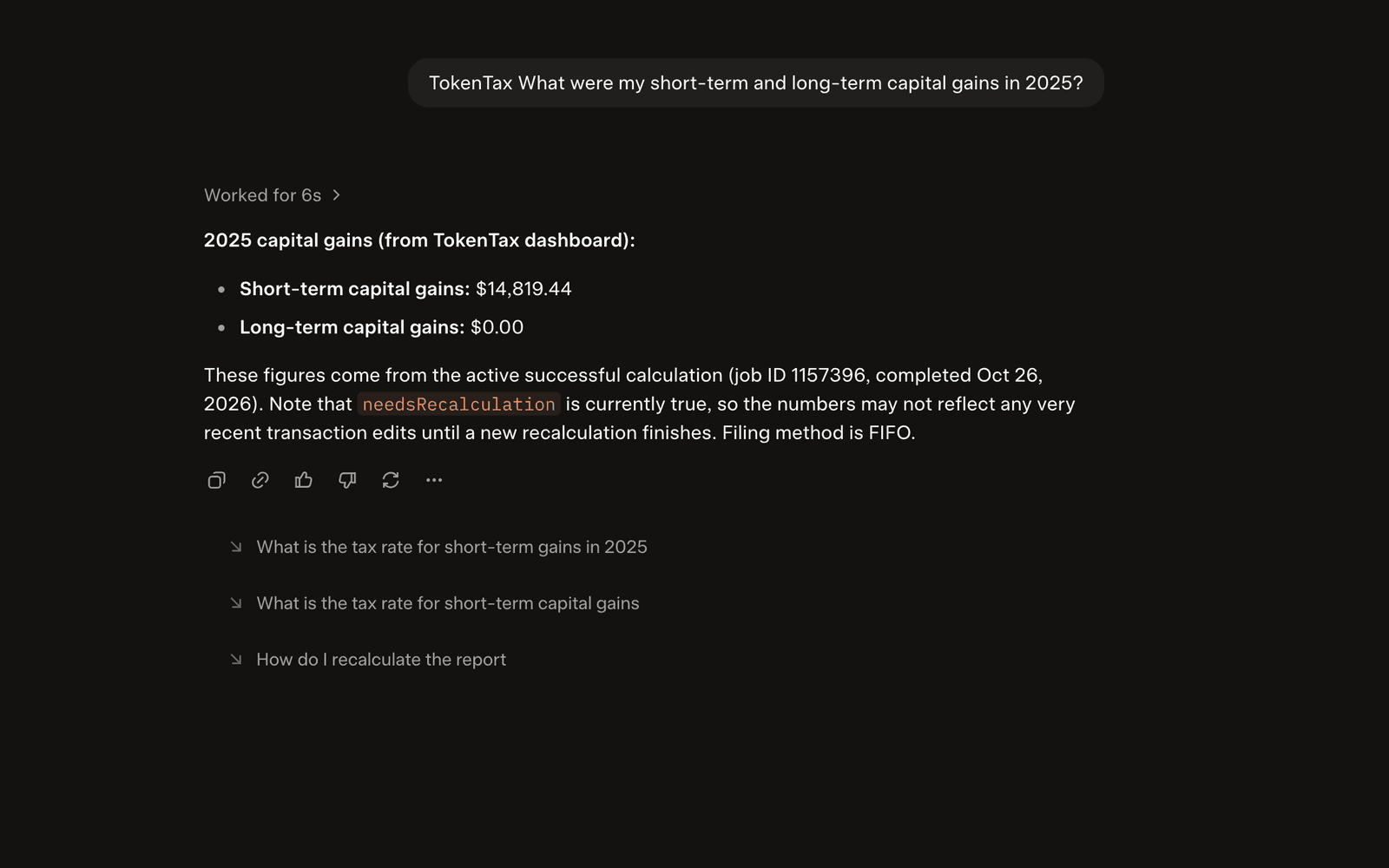
“What were my short-term and long-term capital gains in 2025?” Grok returned short-term gains of $14,819.44 and long-term gains of $0.00, and noted that a recalculation was still flagged.
“Which of my trades last year had the biggest taxable gain?” Grok identified the July 14, 2025 sale of 0.4 BTC (≈ $9,180.50 short-term gain) and included a table of other notable disposals.
“What’s my cost basis for the ETH I sold in March?” Grok calculated ≈ $3,224.19 for the 1 ETH sold on March 18, 2025, explained the FIFO lot, and flagged a separate sale with missing basis.
“Which of my holdings have unrealized losses I could harvest?” Grok switched the filing method to Minimization, ran a recalculation, and returned a table of SOL lots with unrealized losses (total ≈ –$2,046).
“Do my transactions match what’s on my 1099-DA?” Grok compared the sample Coinbase 1099-DA lines to TokenTax and flagged a $288 variance on one BTC sale plus one SOL sale that did not appear in the account.
“Total my staking rewards by month and by coin for 2025.” Grok found three SOL income rewards totaling $92.44 and broke them down by month and by coin.
“Which sales have no cost basis, and which account should I import to fix them?” Grok listed two 2025 sales with $0 basis and explained which source account needed to be imported.
Prompt 4 lists lots with a paper loss. Whether you sell them is a call for you or your tax professional.
Is it safe to connect TokenTax to Grok?
Sign-in runs through OAuth, so you type your password on TokenTax’s site, and Grok never receives it. Your TokenTax login stays with TokenTax.
A connected app can read transactions, gains, cost basis, and reports, and can edit transactions or change tax settings after you approve. In testing, Grok showed the full tool list and only performed writes (method switch + recalculation) when the question required them.
To cut access, open TokenTax on grok.com/connectors and click Disconnect. You can also revoke access inside TokenTax.
Your chats, including TokenTax answers shown in them, fall under Grok’s privacy policy. To opt out of model training, go to Settings → Data → “Improve the Model” on the web. Deleted chats leave xAI’s systems within 30 days, with legal and safety exceptions.
Troubleshooting TokenTax in Grok
I can’t find the custom connector option in Grok
Go straight to grok.com/connectors and click New Connector, then Custom. If you’re on Grok Business or Enterprise and see no Custom choice, your admin has to add it in console.x.ai under Grok Business → Connectors. See xAI’s connector management docs.
Grok asks me to paste an API key
This connection has no API key. Delete the connector, then add it again using the URL above. TokenTax uses OAuth sign-in only.
I connected but see a paid-plan message
A free TokenTax account can’t use the TokenTax MCP server. Check your plan in TokenTax and upgrade if needed.
Grok answers from general knowledge instead of my account
Put “TokenTax” in the question (for example, “Using TokenTax, what were my 2025 gains?”). Confirm TokenTax shows as connected at grok.com/connectors.
Sign-in loops or ends with an error
Use the same browser profile for Grok and TokenTax, and allow pop-ups for grok.com. If it still fails, remove TokenTax and add it again.
Grok and TokenTax FAQs
Can Grok file my crypto taxes for me?
Does Grok need a TokenTax API key?
Do I need SuperGrok or another paid Grok plan to connect TokenTax?
Can Grok change or delete my TokenTax data?
Why might Grok’s numbers differ from my TokenTax report?
Besides Grok, which AI apps connect to TokenTax?
Results depend on the data imported into your TokenTax account. AI responses are not tax advice; review figures and proposed changes in TokenTax before filing.
To stay up to date on the latest, follow TokenTax on Twitter @tokentax.
