How to Find My Coinbase Wallet Address

 Expert verified
TokenTax content follows strict guidelines for editorial accuracy and integrity. We do not accept money from third party sites, so we can give you the most unbiased and accurate information possible.
You can find your Coinbase wallet address or Coinbase exchange deposit address by selecting Receive, choosing the asset, and confirming the network before you copy or share.
Addresses are specific to both the asset and the network. Sending to the wrong network can result in a permanent loss, so double check before you transfer.

Why trust our crypto tax experts
Find your wallet address on desktop
If you use Coinbase on the web, sign in, select your Profile or Assets, then choose the asset you want to receive. Click Receive, confirm the correct network if prompted, then copy the address or scan the QR code with the sender’s app.
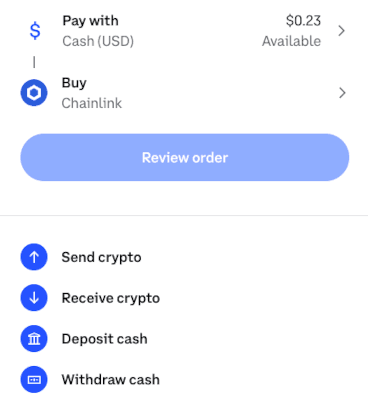
If you use the Coinbase Wallet browser extension, open the extension, select the account and network, choose the asset, and click Receive to reveal the QR code and the full address. You can copy the string or click Share to send it to a counterparty.
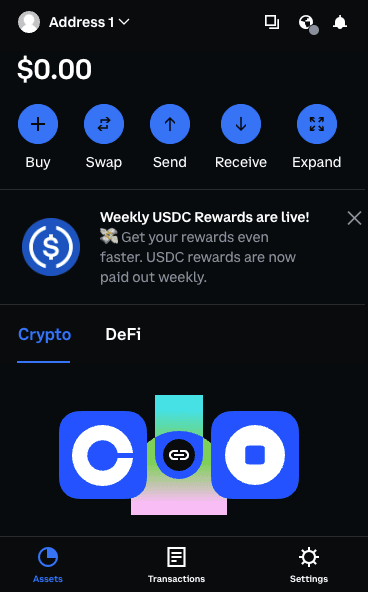
Find your wallet address on mobile
In the Coinbase exchange app, tap the Transfer icon or Receive, select the asset, confirm the network, then copy the address or show the QR code. The steps are the same on iOS and Android, though the Receive button may appear on the home screen or inside the asset detail page, depending on your version.
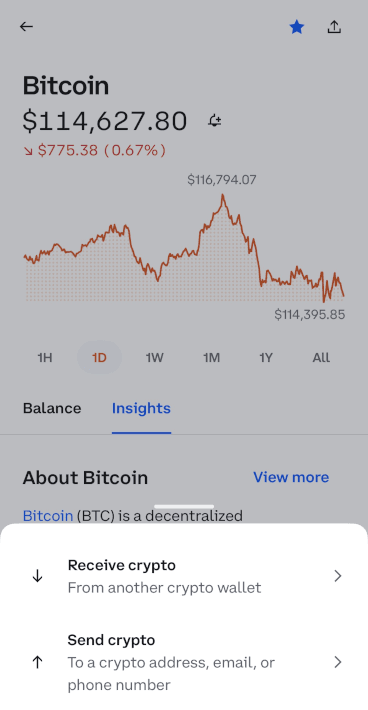
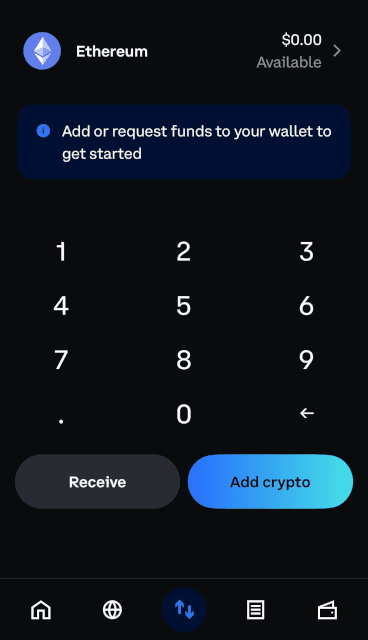
In Coinbase Wallet, the self-custody app that Coinbase briefly renamed Base App between July 2025 and September 2026, open the app, choose the correct account, tap Receive, pick the asset, and verify the network. You will see a QR code and an address you can copy or share. Depending on when your app last updated, you may still see Base App branding. The Receive flow is the same either way.
Coinbase address vs Coinbase Wallet address
Feature | Coinbase exchange deposit address | Coinbase Wallet address |
Control of keys | Coinbase holds the keys | You hold the keys |
Where to find it | Coinbase website or app, tap or click Receive on an asset | Coinbase Wallet app or extension, tap or click Receive on an asset |
Networks supported | Only networks Coinbase supports for that asset | Ethereum, Base, Arbitrum, Optimism, Polygon, Avalanche, BNB Smart Chain, and Solana |
Address changes | May rotate for security, older addresses usually keep working | Deterministic per account and network, you can create additional accounts |
Recover if device is lost | Sign in to Coinbase with your credentials | Depends on setup: recovery phrase for seed wallets, passkey for smart wallet accounts |
Tax forms | Coinbase may issue a 1099 for certain activity on the exchange | No 1099-DA on on-chain activity, you self report |
Best use | Simple deposits to trade or cash out | Self custody, DeFi, NFTs, direct on chain activity |
Reasons for having multiple Coinbase Wallet addresses
It is normal to have more than one address. In Coinbase Wallet, you can create multiple accounts for the same network to separate activity by purpose, such as DeFi, NFTs, or long-term storage. This can make tracking simpler and improve privacy.
Different assets and networks require different addresses. An Ethereum address that starts with 0x will not work for Bitcoin, and a Solana address will not work on Ethereum. Exchanges may also rotate deposit addresses for security. Always match the asset and network before you send.
How can I file taxes on my Coinbase Wallet?
For tax purposes in the United States, crypto is treated as property. Selling, swapping, or spending from Coinbase Wallet is a disposal that creates a capital gain or loss you report on Form 8949 and Schedule D. If you earn tokens through staking, airdrops, or as payment, that value is ordinary income when you have control.
Self-custody changes what the IRS sees. Form 1099-DA reporting began with 2025 transactions and covers gross proceeds from dispositions, with cost basis reporting phasing in for 2026, but that applies to custodial brokers like the Coinbase exchange. Your wallet issues nothing. That matters most when you move assets between the two. Coins you bought on the exchange and sent to your wallet arrive with no basis attached, so if you later sell them somewhere that does report, the proceeds can show up on a 1099-DA with the basis blank. Keeping your own acquisition records is what closes that gap.
To file, pull your public addresses for each network, export activity from block explorers or connect to TokenTax, and reconcile buys, sells, swaps, transfers, fees, and income. Keep TXIDs, timestamps, asset symbols, wallet labels, and fiat values so your return is complete and crypto tax audit ready.
Finding your Coinbase wallet address FAQs
Does Coinbase provide a wallet address?
Is my Coinbase Wallet address always the same?
How do you share your Coinbase Wallet address?
Is a Coinbase Wallet address the same as a key?
What does a wallet address look like?
To stay up to date on the latest, follow TokenTax on Twitter @tokentax.
Related Content
